Best Automated SEO Tools Compared
Key takeaways
- Sort every tool into three groups: monitoring, single-step, and end-to-end execution, then buy for the job that actually stalls your week.
- For full execution look at Distribb, OTTO SEO, TheSEOAgent, Outrank and eesel AI. For data look at Semrush, Ahrefs, SE Ranking and Morningscore. For single steps, Surfer, Alli AI and Clearscope. Frase now covers more steps, from Search Console data to publishing to your CMS.
- Ask whether the tool runs in review-first or auto-publish mode, and keep tight review on structural changes like redirects and URL edits.
- Check that a tool reads your real Google Search Console data before it decides what to work on. It should not just draw charts.
- Confirm your work survives cancellation: content saved into your own CMS stays, while changes served through a vendor script can vanish.
You searched for automated SEO tools, and the results all look alike. A rank tracker, a writing bot, and a full publishing platform sit on the same list.
They solve different problems. Buy the wrong one and you get prettier charts of the same empty content calendar.
This article settles which tool fits which gap. It groups the field by how much of the SEO workflow each product actually runs. Then it shows how to match that to the job you are behind on.
What 'Automated SEO' Actually Means
"Automated SEO" gets slapped on almost anything now. A rank tracker calls itself automated, and so does a bot that spits out blog drafts. They are not the same product, and buying the wrong one wastes months for lean teams.
The honest definition is narrow. Automated SEO means software does part of the SEO workflow that a person used to do by hand. It then keeps doing it on a schedule without you re-triggering it.
The word that trips people up is work. Reporting is not the same as work, and a tool that emails you a ranking drop has told you something. A tool that fixes the page has done something.
That gap is the whole decision. So split every product you are looking at into three types.
- Automates monitoring. It watches rankings, indexing, or crawl errors and alerts you. You still decide and execute everything.
- Automates a single step. It handles one job well, like generating a draft or suggesting internal links. The rest of the chain stays manual.
- Automates execution end to end. It picks opportunities, writes or updates pages, handles on-page SEO, links pages together, and watches what happens next.
Most "automated SEO" roundups mix all three into one list. That is why buyers end up with a rank tracker when their real bottleneck was publishing. Others get a writing bot when they needed a plan.
Ask yourself which stage actually stalls. If you already know what to write and just cannot find hours, a writing tool helps. If nobody on your team knows which pages are winnable, a writer just produces more content nobody asked for.
The Control Question Every Buyer Should Ask First
End-to-end automation raises a fair fear. Will this thing change my live site while I sleep?
Some tools apply edits silently. Others let you review each change before it goes out. Neither is wrong, but you have to know which you bought.
Draw a clear line between reversible and destructive. Adding a page is reversible. Rewriting your URL structure or deleting internal links is not, and a bad structural change can sink pages that were ranking fine.
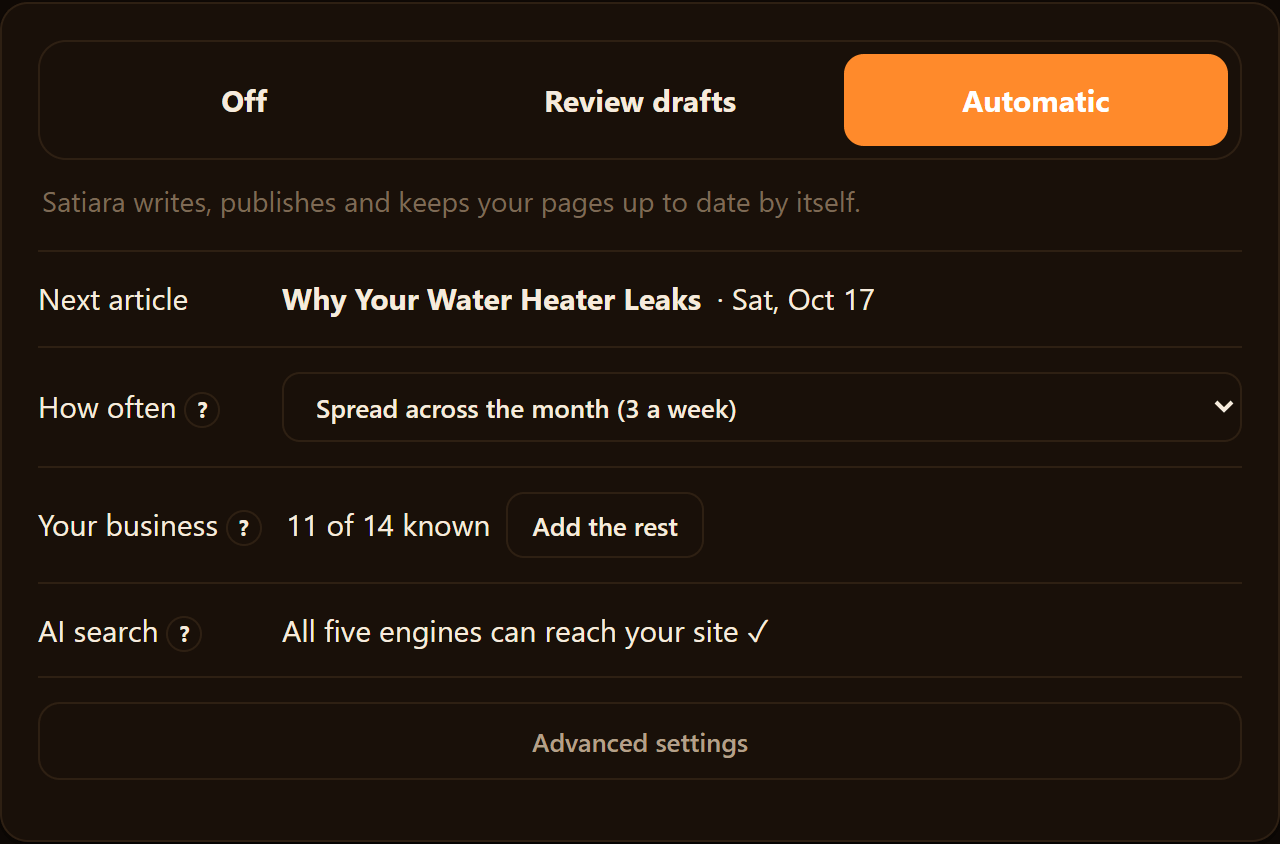
A responsible platform never applies destructive structural choices without your sign-off, and it gives you a mode switch. Review-first means every change waits for your approval. Auto-publish means it ships on its own once you trust it.
You should also check what the tool reads before it acts. A system that ignores your real Google Search Console data is guessing. One that reads it knows which queries already bring you clicks and which pages sit just off page one.
How Long Before Any of This Shows Up in Rankings
Automation speeds up the doing, not Google. Publishing faster does not make Google rank you faster.
Plan on roughly three to six months before you see meaningful ranking movement on an established site. New domains take longer, because Google needs time to trust them and index a real body of pages.
Any tool promising rankings in weeks is selling the exception as the rule. Treat the first few months as building the foundation, not as the payoff.
One infrastructure note is worth watching. Chrome for Developers documents a change to Lighthouse 13.0 in its official changelog. And many audit tools lean on Lighthouse to score your pages.
When the underlying scoring shifts, so do the numbers your monitoring tool shows you.
The Seven Jobs a Tool Might Do for You
SEO is not one task. It is a chain of separate jobs, and most tools only touch a few links in that chain.
The SEO chain: find the stuck link
- 1Strategy
- 2Keyword-to-page mapping
- 3Writing
- 4Editing
- 5Internal linking
- 6On-page SEO
- 7Tracking
Knowing the full chain helps you spot which job is actually stuck. That stuck job is your bottleneck, and it decides which tool is worth paying for.
Here are the seven jobs, roughly in the order they happen.
- Strategy. Deciding what topics you should target and why, based on your site and your market.
- Keyword-to-page mapping. Turning a keyword list into a plan of specific pages, so you build topic clusters instead of random posts.
- Writing. Drafting the actual page content for each planned page.
- Editing. Tightening drafts, fixing voice, cutting filler, and checking claims.
- Internal linking. Connecting related pages so search engines and readers can move between them.
- On-page SEO. Titles, headings, meta descriptions, and structure on each page.
- Tracking. Watching rankings, indexing, and results after pages go live.
Most roundups blur these together. A pure writing bot does one job, while a monitoring suite watches the last job and reports back. A few tools try to run the whole chain.
That is why a clean match matters more than a feature list.
Match the Tool to Your Real Bottleneck
Pick the row that sounds most like your week. That points you at the category to shop, not a single brand.
| Your bottleneck | What you actually need | Category to shop |
|---|---|---|
| Pages never get published | A tool that writes and ships pages, not just drafts | Full-loop execution |
| Writers exist but wander off-topic | Strategy and keyword-to-page mapping | Planning and clustering |
| You want the most accurate data | Rank tracking tied to real search data | Monitoring suite |
| Content is fine, pages score poorly | On-page fixes and internal linking | On-page automation |
| Large site, many stakeholders | Scale, seats, and reporting others can read | Enterprise platform |
The last row hides a real need. When regional leads or managers have to check results, they should not wait on a data person to run a report.
The Whatagraph Help Center notes that managers, regional leads, and marketing teams can self-serve in plain language. They do not have to go through a data person. That kind of access is a job too, and it matters once more than one person cares about the numbers.
One warning before you shop. Two rows can feel like the same problem but need opposite tools.
"Pages never get published" and "you want the most accurate data" are not close cousins. One is an execution gap. The other is a visibility gap.
Buy a monitoring suite for an execution gap, and you will have prettier charts of the same empty content calendar.
Which Categories of Automated SEO Tools Exist?
Not every "automated SEO" tool does the same job. Sort them into three groups, and the buying question gets simpler.
| Category | What it automates | Starting price | Honest limit | |
|---|---|---|---|---|
| AccuRanker | Monitoring | Rank tracking | $224/month | Tracks, does not act |
| Sitebulb | Audit | Site crawl, structure | GBP 95/month | Finds issues, you fix |
| Surfer | Single-step | On-page scoring, drafts | Priced elsewhere | One step, not workflow |
| Alli AI | Execution | On-page injection | $249/month annually | Reverts on cancel |
| TheSEOAgent | Execution | Content, on-page tasks | $99/month | Confirm CMS fit first |
The first group is monitoring and audit tools. They crawl your site, track keyword rank, and flag technical errors. They tell you what is wrong, but they do not fix it.
AccuRanker and Sitebulb live here. AccuRanker tracks rankings across large keyword sets. Sitebulb audits your site structure and surfaces crawl problems.
The second group is single-step generators. These automate one task, usually writing or on-page optimization. Surfer sits here, scoring drafts and suggesting terms to add.
The third group is execution platforms. These try to run more of the workflow, from finding opportunities to publishing and updating pages. Alli AI and TheSEOAgent aim at this space, and it is where an SEO operating system like Satiara fits.
The Categories Side by Side
| Tool | Category | What it automates | AI visibility support | Starting price | Honest limit |
|---|---|---|---|---|---|
| AccuRanker | Monitoring | Rank tracking | Not its focus | Professional, $224/month | Tracks; does not act |
| Sitebulb | Audit | Site crawl, structure checks | Not its focus | Cloud, GBP 95/month | Finds issues; you fix them |
| Surfer | Single-step | On-page scoring, drafts | Partial | Described below | One step, not a workflow |
| Alli AI | Execution | On-page edits via injection | Partial | Business, $249/month (billed annually) | Changes can revert on cancel |
| TheSEOAgent | Execution | Content and on-page tasks | Partial | Pro, $99/month | Confirm CMS fit first |
All prices above were checked in September 2026. Surfer is described here rather than priced, since a verified figure was not available for this section.
One Surfer detail matters for lean teams. According to surferseo.com, monthly article credits do not roll over, so unused writing capacity is lost each cycle.
Read the Subscription-Lock Risk Before You Pay
Some execution tools apply changes that vanish when you stop paying. Alli AI, for example, injects optimizations through JavaScript that your live site depends on.
Cancel the plan, and those injected changes can stop loading. Your pages quietly revert to their unoptimized state.
That is a very different deal from a tool that writes changes directly into your CMS. There the work stays put after you leave. Ask three questions before you subscribe.
- What reverts? Any change served through the vendor's script or overlay usually disappears on cancel.
- What persists? Content and edits saved into your own CMS stay, since they are your files now.
- What should you confirm? Ask the vendor in writing whether your optimizations survive if you cancel.
Confirm Your CMS Is Actually Supported
WordPress is the safe default. Most of these tools support it well, and publishing straight into it is common.
Webflow, Shopify, and headless setups are where support gets uneven. A tool may connect through an API, an overlay, or not at all.
Check compatibility with your exact platform before you pay, not after. A publishing tool that cannot reach your CMS is just a fancy text editor.
What Happens Under the Hood, Step by Step
Every automated SEO tool runs some version of the same loop. It gathers data, spots an opportunity, builds a plan, and publishes. The gap between tools is how much of that loop they actually own.
Some stop after step one. They watch rankings and email you a list. You still decide what to write and who writes it.
Others run the full loop. They pick the page, draft the change, and push it live in whatever mode you allow.
The Four Moves Behind the Curtain
- Read your data. The tool looks at your site, your keywords, and ideally your real Google Search Console numbers.
- Find an opportunity. It flags a gap, a slipping page, or a query you almost rank for.
- Build a plan. It decides what to create or refresh, and how pages should link together.
- Publish. It writes the page and either shows you a draft or sends it live.
A writing bot skips most of steps one through three. You feed it a keyword, it hands back text. The judgment stays on your plate.
Why Reading Real Search Console Data Changes the Answer
Where does the tool get its idea of what to work on?
Many tools guess from a keyword database. That data is broad, but it is not your data. It does not know which pages Google already shows for you.
Google Search Console reports the queries you actually rank for, and where. A page sitting at position 12 for a real term is a winnable opportunity, not a hunch.
A tool that reads that data can target a page you can plausibly win, then measure whether the move worked. One that ignores it is optimizing blind.
Ask any platform you compare a plain question. Does it connect to my Search Console? And does it use that data to decide what to do next, or just to draw charts?
Those are two different answers. Charts are decoration. Decisions are the point.
Criteria That Actually Matter for a Lean Team
Most comparison checklists list twenty features. You do not have time for twenty. You have a bottleneck, and the right tool removes it without creating three new ones.
Start with the criteria that change your answer, not the ones that pad a spec sheet.
Does It Do the Job You Are Behind On?
Be honest about where the work piles up. If you have a strategy but nobody writing, a monitoring tool will not save you. If you publish constantly but rank for nothing, a writing bot alone will not either.
Match the tool's real strength to your real gap. A rank tracker like AccuRanker tells you what is happening. It does not go fix a page.
An execution platform like Alli AI or a full workflow tool acts on pages. That is a different purchase for a different problem.
How Much Control Do You Keep?
This is the criterion buyers skip until it burns them. Ask whether the tool runs in review-first or auto-publish mode, and whether you choose per change.
Auto-publish is great for volume. It is terrible if the tool rewrites your homepage title while you sleep.
The safe setup lets you review structural or destructive changes and auto-approve the low-risk ones. Satiara is built around that split, so you decide how much runs on its own.
Does It Read Your Real Search Console Data?
A tool that guesses at keywords is working blind. One that connects to Google Search Console sees what you already rank for and where you sit on page two. It also sees which pages are close to winning.
That difference decides whether "opportunities" are real or generic. Ask the vendor a plain question: does it read my actual GSC data before deciding what to do?
What Is the Subscription-Lock Risk?
Two hidden costs live in a subscription. The first is the monthly price. The second is what happens to your work if you leave.
If a platform publishes pages inside its own system, canceling can strand your content. Ask whether pages live on your site, in your CMS, under your control.
A tool with a broad connector approach lowers this risk. It works with the platform you already own instead of trapping you inside its walls.
Where the Price Actually Lands
Price only means something next to the job it does. A cheaper tool that solves the wrong problem is the expensive one.
Here is the plain price picture for the vendors with public plans, so you can weigh cost against category.
| Tool | Category | Entry plan (billing) |
|---|---|---|
| AccuRanker | Rank monitoring | Professional, $224/month |
| TheSEOAgent | Execution / content | Pro, $99/month |
| Alli AI | On-page execution | Business, $249/month (billed annually) |
Those figures were checked in September 2026, and vendors change plans often. AccuRanker also offers an Expert plan at $764/month, so the range within a single tool is wide.
Sitebulb publishes a Cloud plan at GBP 95/month, checked the same month, though its full lineup runs broader than that. Read pricing as a signal of category, not a ranking of quality.
A Short Test Before You Buy
Run each candidate through four questions in order. If it fails the first two, price does not matter.
- Does it fix the job I am actually behind on?
- Can I keep review control over risky changes?
- Does it read my real Search Console data?
- Do my pages stay mine if I cancel?
A tool that passes all four earns the subscription. One that dazzles on features but fails question two is a liability with a login.
How the Main Tools Compare, Bot by Operating System
Group the field by how much of the SEO workflow each tool actually runs. That split matters more than any feature list.
How the Main Tools Compare, Bot by Operating System
| Tool | Category / Role | What It Does | Pricing (checked Sept 2026) |
|---|---|---|---|
| AccuRanker | Rank tracker | Monitors where keywords land on the SERP and alerts on movement; tells you what happened but does not fix anything | Professional $224/month; Expert $764/month; Enterprise (>25,000 keywords) on request |
| Sitebulb | Auditor | Crawls your site and flags technical problems like broken internal linking or indexing gaps; diagnoses but your team does the repair | Desktop tier; Sitebulb Cloud GBP 95/month plus add-on seats (public page shows more tiers) |
| TheSEOAgent | Writing bot | Generates content and publishes it; mostly one step, producing pages | Pro $99/month; $1 three-day trial; extra sites $79/month each |
| Alli AI | On-page execution | Applies changes across your site, including live structural edits | Business from $249/month annually or $299/month otherwise; Agency $499/month annually; Enterprise by demo |
| Satiara | SEO operating system | Studies your site, reads Google Search Console data, picks winnable opportunities, improves old pages, creates new ones and connects them; review-first or auto-publish choice | Not stated |
On one end sit the trackers. AccuRanker is a rank monitor, watching where your keywords land on the SERP and alerting you when they move.
Its Professional plan runs $224/month and Expert runs $764/month. Enterprise pricing is available on request, as checked in September 2026. It tells you what happened, but it does not fix anything.
Sitebulb lives nearby, on the auditing side. It crawls your site and flags technical problems like broken internal linking or indexing gaps.
Sitebulb offers a desktop tier and a Sitebulb Cloud plan at GBP 95/month, plus add-on seats, as checked in September 2026. Their public page shows more tiers than those, so treat this as a slice, not the full menu. Again, it diagnoses, and your team still does the repair.
Move toward execution and you hit the writing bots. TheSEOAgent generates content and publishes it, with a Pro plan at $99/month and a $1 three-day trial, as checked in September 2026.
Extra sites cost $79/month each as an add-on. Cheap and fast, but its job is mostly one step: producing pages. Strategy and page improvement sit outside that lane.
Alli AI reaches further into on-page work. It can apply changes across your site, priced from a Business plan at $249/month billed annually, or $299/month otherwise. Agency runs $499/month annually and Enterprise is by demo, as checked in September 2026.
That power cuts both ways. A tool making live structural edits is exactly the kind you want reading your real data first and asking before it acts.
Here is the honest gap in most of these. A writing bot skips strategy. A rank tracker skips the doing.
An SEO operating system tries to run the whole loop instead. It studies your site, reads your Google Search Console data, picks winnable opportunities, improves old pages, creates new ones, and connects them. Satiara sits in this last group, with a review-first or auto-publish choice so you keep control of what ships.
Match the category to your real bottleneck. If you already have a strategist and just need output, a bot fits. If nobody is deciding what to write next, a single writer will not save you.
What Automation Still Can't Do for You
Automation is good at repetition and pattern-matching. It is bad at judgment that depends on knowing your business.
Four jobs that stay human
Do
- ✓Judge search intent: buyer vs browser
- ✓Set brand voice and point of view
- ✓Decide what not to publish
- ✓Create things worth linking to
Avoid
- ✗Thin mass pages: spam risk
- ✗Destructive redirects: lost rankings
- ✗Wasted spend on unwinnable keywords
- ✗Unreviewed refresh overwrites work
Four jobs stay human, or at least human-supervised. Skip them and you get pages that rank for nothing and read like anyone wrote them.
- Intent judgment. A keyword can mean three things. Knowing which searcher you want, a buyer versus a browser, is a business call, not a text prediction.
- Brand voice at the start. A tool can copy your tone once it has samples. It cannot invent your point of view before you have given it one.
- Deciding what not to publish. Restraint is a strategy. A bot that publishes everything it drafts is a liability, not a teammate.
- Being worth linking to. Original data, a strong opinion, a tool people bookmark. Automation reshuffles what exists, but it rarely creates the thing others cite.
Do You Give Up Control When You Automate?
Only if the tool forces it. The real question is whether the platform runs in review mode or on autopilot, and whether you choose.
Review mode means a human approves each change before it ships. Autopilot means the tool publishes and updates on its own. Both are fine, but buying one when you needed the other is not.
A safe setup lets you start in review mode, watch a few cycles, then loosen the reins where you trust the output. Keep tight review on anything structural, like redirects and URL changes.
The Failure Modes Nobody Puts on the Sales Page
These are the ways automated SEO goes wrong. Each one is avoidable if you know it exists.
| Failure mode | What it costs you |
|---|---|
| Thin mass-published pages | Dozens of low-value URLs Google may treat as spam, dragging down the whole site |
| Destructive redirects | Lost rankings on pages that were working, hard to recover after the fact |
| Wasted spend | Content aimed at keywords you were never going to win |
| Lost work | Old edits overwritten by an automated refresh you didn't review |
A good tool never silently applies destructive structural changes. If a platform can rewrite your site map without asking, treat that as a dealbreaker.
Is AI Visibility Tracking Now a Must-Have?
It is heading that way. People search inside ChatGPT and other AI tools, and those answers cite pages the way old SERPs ranked them.
Some monitoring tools are adding this. The Morningscore helpdesk documents that its version 4 release brought GEO features, meaning AI visibility tracking, along with a new keyword engine.
If your buyers ask AI tools for recommendations, tracking whether you show up there matters. If they don't yet, it is a nice-to-have, not a reason to switch.
When Automated SEO Is the Wrong Choice
Automation assumes a working strategy underneath. Without one, it just produces more of the wrong thing faster.
Stick with a strategist plus separate tools, or even a spreadsheet, when your site is small or your topics are unusual. It also fits when your value depends on hard-won expertise a model cannot fake. A dozen pages a year, written well, may beat a hundred generic ones.
Automation earns its keep once you have a clear keyword-to-page map and enough volume that doing it by hand is the bottleneck.
Setting Up So a Platform Can Run Safely
Give any automated system structure before you turn it loose. The prep is what separates useful output from a mess.
- Group your keywords into topic clusters, so related pages support each other instead of competing.
- Build a keyword-to-page map, one clear page per opportunity, so nothing gets written twice.
- Connect your real Google Search Console data, so the tool acts on what already ranks, not guesses.
- Start in review mode and set your access level, so no structural change ships without you.
- Feed it voice samples early, so brand voice is set before the first draft, not fixed after.
Pick one system, roll it out on a small cluster, and watch a full cycle before you scale. Set your access level so no structural change ships without your sign-off.
Pick for the Job You Are Behind On
The comparison comes down to one honest question. Which stage of your SEO work keeps stalling, and does the tool you are eyeing actually fix that stage?
If nobody decides what to write next, shop planning and full-loop tools, not a writer. If your data is the problem, shop a monitoring suite. Keep review control over anything structural, and confirm your pages stay yours if you cancel.
Get those four checks right, and the shortlist picks itself.
Frequently asked questions
Can I use more than one automated SEO tool at once?
Yes, and many teams do. A monitoring suite for data plus an execution tool for publishing is a common pairing. This works as long as only one tool makes live changes to a given page.
Are free automated SEO tools worth using?
Free tiers are fine for basic rank checks or a single audit. They rarely run an ongoing workflow, so treat them as a trial, not a long-term plan for a growing site.
How do I move my Google Search Console connection to a new tool?
Reconnect Search Console through the new tool's own integration flow. Each platform authorizes access separately, so grant it the same property you used before. Confirm the new tool reads that data before you drop the old connection.
Do I need technical skills to run these tools?
Most connect through your CMS or an app, so no coding is required. Budget a few hours to learn the dashboard, since reading its opportunity reports well is the real learning curve.
How do I switch tools without losing my work?
Confirm where your pages live first. Content saved into your own CMS moves with you. Edits served through a vendor's script or overlay can disappear once you stop paying.
About Satiara
Satiara is an AI-driven SEO automation / SEO operating system for a startup or SaaS founder. This article was written by the Satiara team as part of our ongoing coverage of best automated seo tools compared. More about Satiara.