How to Evaluate an SEO Automation Tool: A Buyer's Scorecard With Dealbreaker Criteria
Key takeaways
- Count how many of the eight workflow steps a tool runs without you, from finding keywords to tracking results. Treat one-step tools as writing assistants.
- Weight publishing control and site protection highest, because a tool that publishes or redirects silently can undo work you cannot easily rebuild.
- Connect the tool to your real Google Search Console and compare five known pages. A tool that reads live data lines up, while a guessing tool drifts.
- Run the same five URLs through every candidate on the same day so your comparison reflects your site, not a rehearsed demo.
- Ask in writing whether a failed publish burns a credit, and walk away from guaranteed rankings, hidden plan limits, or forced auto-publish.
Picking an SEO automation tool usually means watching a slick demo and hoping it holds up. It rarely does.
This article gives you a way to judge any tool on your own site instead of the vendor's. You score each candidate on the same criteria, then let the math pick your shortlist.
You will learn what to measure and how to prove a tool reads your real Search Console data. You will also learn how to run one fair test across every option.
What Exactly Does an SEO Automation Tool Automate?
Most tools sold as "SEO automation" automate one step and hand the rest back to you. That gap is where the marketing lives.
Only steps 4 and 5? A writing assistant with a bigger label.
Real automation runs a chain of tasks with no human in the middle. A writing tool that spits out a draft you still have to research, place, link, and publish is one step of many.
So the useful question is not "does it automate SEO?" It is "how many steps run without me, and where do I keep the wheel?"
Here is the full loop a person or team normally handles. Score each tool by how many of these eight steps it runs on its own.
- Find opportunities. It reads your site and your real search data to spot winnable keywords, not a generic list you paste in.
- Group into clusters. It organizes those keywords into topic clusters so pages support each other instead of competing.
- Build a plan. It decides what to create, what to refresh, and in what order.
- Write in your voice. It drafts content that reads like you, not filler you have to rewrite line by line.
- Handle on-page SEO. It sets titles, headings, and metadata without you touching each field.
- Add internal links. It connects related pages across your site so search engines follow the trail.
- Publish. It pushes work live to your platform, in review-first or auto-publish mode.
- Watch results. It tracks what ranked, what stalled, and loops back to refresh weak pages.
Count the boxes for each candidate. A tool that only handles steps 4 and 5 is a writing assistant with a bigger label.
Control matters just as much as coverage. A tool can run all eight steps and still be safe. That is true if you set the goals, approve structural changes, and pick when it publishes.
Watch for the opposite trap too. Some tools automate the loop but make destructive site changes without asking. That is a fast way to lose rankings you already earned.
The listicles rarely draw this line. They rank tools side by side without asking whether each one runs one step or the full loop. So a $19 writer sits next to a full workflow like they do the same job.
Your platform matters here as well. If a tool lives only in the Shopify App Store and you run WordPress, its "automation" stops at your front door.
Keep this eight-step count handy. Every section that follows scores against it. By the end you can rate two or three tools on your own site in an afternoon.
Which SEO Tasks Can Be Safely Automated?
Some SEO work is repetitive and low-risk. Some can quietly wreck your rankings if a machine gets it wrong. The safe line runs between tasks that gather or draft, and tasks that reshape or delete.
Use this as your sorting rule. If a mistake is easy to spot and easy to undo, automation is fine. If a mistake hides for weeks and is painful to reverse, keep a human in the loop.
Here is how common tasks fall on that line.
| SEO task | Safe to automate? | Why |
|---|---|---|
| Finding keyword opportunities | Yes | It only suggests. You choose what to act on. |
| Spotting content gaps and clusters | Yes | Analysis is read-only until you approve a plan. |
| Drafting new pages | Yes, with review | A draft is cheap to edit or scrap before it goes live. |
| Internal linking suggestions | Yes, with review | Bad links are easy to see and quick to remove. |
| Content refresh on old pages | Mixed | Safe if changes are proposed, risky if rewritten silently. |
| Changing site structure or URLs | No, not silently | A wrong redirect or deleted page can sink traffic for weeks. |
| Publishing without you seeing it | Your call | Fine for some, a dealbreaker for others. |
Notice the pattern. Reading and drafting are safe because they suggest. Structural edits are dangerous because they change your live site.
That is why a good tool separates the two modes. It should run analysis and drafts on its own, then ask before it touches structure.
Two settings matter most when you score a tool. The first is review mode versus auto-publish. Review mode holds work for your approval, while auto-publish sends it live on its own.
The second is how the tool handles destructive changes. Deleting a page, merging two, or rewriting a URL should never happen without a clear prompt you can decline.
So keep human judgment for anything that reshapes your site. Let the tool handle the grind of finding, drafting, and proposing. When you test each candidate, mark exactly where its automation stops and your approval begins.
Why a Demo Hides More Than It Shows
A demo runs on the vendor's data, not yours. That is the whole problem.
Run these checks against Search Console
- ✓Impression and click counts match within a small margin
- ✓Names keywords you actually rank for, not generic terms
- ✓Flagged 'winnable opportunity' exists in your own data
- ✓Cites where each number came from
- ✓Trap test: asks for traffic on a page you never published
You watch a tool surface keyword opportunities, draft a page, and propose internal links. It looks sharp. But those inputs were chosen to make the output look good.
You cannot see how the tool behaves on your messy, real site. A demo shows a rehearsed path. Your site has broken pages, thin content, and a Google Search Console account with years of odd data.
The claim that matters most is data accuracy. Every SEO tool now says it reads your real numbers and finds real opportunities. A demo lets you hear that claim but never test it.
Here is the risk you are watching for. A tool that invents data is called hallucinated data. It will confidently show search volumes, rankings, or "content gaps" that do not exist for you.
How to Catch Hallucinated Data on Your Own Site
Skip the sandbox. Run the trial on your live site and check the tool's claims against a source you already trust.
Pull a short list of numbers straight from your own Google Search Console. Pick five pages you know well. Note their real clicks, impressions, and average position for a recent 28-day window.
Then ask the tool for the same pages. Compare its numbers to yours, side by side.
- Do the impression and click counts match your Search Console within a small margin?
- Does it name keywords you actually rank for, or generic terms for your industry?
- When it flags a "winnable opportunity," can you find that query in your own data?
- Does it cite where a number came from, or just assert it?
A tool that reads your real data will line up closely with Search Console. A tool that guesses will drift, sometimes wildly.
You can make this comparison faster by dropping your own Search Console numbers into a free dashboard. Looker Studio (google.com) connects to Search Console directly and shows your true figures. Copilot (copilot.app) is built to create SEO dashboards from your data sources for the same purpose.
Put the tool's export next to that dashboard. Any number the tool invents will stand out against your verified figures.
Do one more test. Ask the tool a question it cannot possibly know from your site, like traffic for a page you never published. If it answers with a specific number instead of admitting it has nothing, treat every other figure with doubt.
Write down what you find for each candidate. That record becomes the first row of your scorecard.
What a Repeatable Scorecard Should Actually Measure
The trap with most tool comparisons is scoring what the demo showed you, not what matters after you connect your site. So build the scorecard around one fault line. Count how many steps run without a human, and how much control you keep when they do.
| Weight | What a 5 looks like | A | B | C | |
|---|---|---|---|---|---|
| Reads your real Search Console | 5 (dealbreaker) | Pulls your real queries, not samples | |||
| Steps that run without you | 4 | Gaps, plans, writes, links as one flow | |||
| Control over publishing | 5 (dealbreaker) | Review-first, never auto-publishes | |||
| Protects your site structure | 5 (dealbreaker) | Destructive changes need approval | |||
| Content quality and sources | 4 | Cites real sources, your voice | |||
| Finds winnable opportunities | 4 | Shows why a keyword is reachable | |||
| Connects to your platform | 3 | Works with your CMS, no copy-paste |
That fault line separates real automation from a writing tool wearing a bigger costume. Everything below is a way to measure it on your own site, not on the vendor's slides.
Weight each criterion by how much it would hurt to get it wrong. A tool that publishes without your approval is a bigger risk than one with a clunky dashboard. Score that accordingly.
The Seven Criteria to Score
Use a simple scale of 0 to 5 for each candidate. Zero means the tool cannot do it or dodged the question. Five means you watched it work on your actual data.
| Criterion | What a 5 looks like | Weight | Tool A | Tool B | Tool C |
|---|---|---|---|---|---|
| Reads your real Search Console | Pulls your actual queries and pages, not sample data | 5 | |||
| Steps that run without you | Finds gaps, plans, writes, and links as one workflow | 4 | |||
| Control over publishing | Clear review-first mode, never auto-publishes silently | 5 | |||
| Protects your site structure | Destructive changes need your approval every time | 5 | |||
| Content quality and sources | Cites real sources and matches your brand voice | 4 | |||
| Finds winnable opportunities | Shows why a keyword is reachable, not just its volume | 4 | |||
| Connects to your platform | Works with your CMS without manual copy-paste | 3 |
How to Turn Scores Into a Decision
Multiply each score by its weight, then add the columns. The tool with the highest total is your shortlist leader. Copy this table into a spreadsheet so the math runs itself.
Watch the weight-5 rows first. If a tool scores low on publishing control or site protection, a strong total elsewhere should not save it. Those are the criteria you cannot fix later.
Leave a cell blank when a vendor won't answer. A blank is data too. It usually means the demo hid something the product cannot do yet.
The next sections walk through the two hands-on tests behind the top rows. First, proving the tool reads your real Search Console, then running the same URLs through each candidate. Those tests fill in the scores you cannot get from a sales call.
How to Prove a Tool Reads Your Real Search Console
A demo shows sample data. Your account shows the truth. The gap between those two is where tools quietly fail.
One trial, six steps
- 1Connect to Search Console (read-only)
- 2Pick five queries you rank for
- 3Check pages, clicks, real queries line up
- 4Ask where an opportunity came from
- 5Disconnect and reconnect: test stale links
- 6Send one draft, watch the failure path
Connect the tool to your own Google Search Console before you pay for anything. Most tools offer a trial or a read-only connection for exactly this reason.
Once connected, run a simple test. Pull up your top-performing pages inside Search Console yourself, then check whether the tool names the same ones.
The Match Test
Pick five queries you already rank for and know well. Look them up in Search Console under the Performance report.
Now check what the tool reports for those same queries. You want three things to line up.
- The same pages surface. If the tool ranks a page you know is dead or thin, it is guessing, not reading.
- The clicks and impressions are close. They will not match to the exact number, but the order of magnitude should agree.
- Your real queries appear. Generic keyword suggestions are not the same as the terms your site already earns.
A tool reading live data will point to pages sitting just off page one. A tool running on generic keyword databases cannot know that, because that detail lives only in your account.
What a Real Connection Looks Like
You should see the property you authorized, not a manual keyword upload. Check whether the tool asks for Search Console access or just asks you to type keywords in.
Typing keywords is fine for research. It is not the same as a tool that watches your actual indexing and click data over time.
Ask the tool where a specific opportunity came from. It should trace back to a query in your Performance report, not a vague "search volume" estimate.
Test What Happens When Something Breaks
Connections drop. Tokens expire, and your CMS rejects a publish. Judge a tool by how it handles that, not by how it looks on a good day.
Try disconnecting and reconnecting your Search Console mid-trial. A well-built tool tells you the link is stale and stops showing old numbers as if they were fresh.
Do the same test on the publishing side. If the tool pushes content to your site, send one draft through and watch the failure path closely.
- Does it warn you before publishing, or does it push live and hope?
- When a publish fails, does the draft survive? You should never lose the work and have to start over.
- Who pays to redo it? Ask the vendor plainly whether a failed publish burns a credit or costs you nothing.
Get that last answer in writing before you buy. A tool that charges you again for its own failed publish is a tool that treats your budget as its safety net.
The safest setups keep a review step you control and never apply structural changes without your say-so. That way a broken connection costs you a click, not a damaged site.
How to Run the Same Test Through Every Tool
The only fair test uses your site, not the vendor's demo site. Pick five URLs you already care about and run each tool against the same five.
Reward this vs. walk away
Do
- ✓Issue coverage: known problems plus a few missed
- ✓Fix clarity: explains why each fix helps
- ✓Plan limits: five URLs fit, no upsell
Avoid
- ✗Guaranteed rankings
- ✗Hidden plan limits at checkout
- ✗No fix explanation
- ✗Forced auto-publish before approval
Choose pages with real stakes. Pick a money page, a blog post that used to rank, a thin service page, and one targeting a keyword you want. Also add one you suspect has an indexing problem.
Feed the identical list to each candidate. Same URLs, same target keywords, same day if you can manage it.
Check Platform Fit Before You Get Attached
A tool that cannot connect to your CMS is a dead end, no matter how good the demo looked. Confirm it works with your platform first.
Ask how it connects. Some tools need a plugin, some use an API, some ask for direct login access you may not want to hand over.
Then read the plan limits carefully. Caps on pages, sites, and keywords are where the real price hides.
A plan that covers 20 pages when your site has 200 is not the plan you thought you bought. Match the limit to your actual site size before you enter a card.
What to Compare on Your Five URLs
Score each tool on the same three things so the comparison stays honest.
| What to score | What good looks like |
|---|---|
| Issue coverage | Finds the same problems you already know about, plus a few you missed |
| Fix clarity | Explains why each fix helps, not just that something is wrong |
| Plan limits | Your five URLs fit the plan without an upsell prompt |
A tool that flags a problem but cannot explain the fix is handing you homework. You want a reason attached to every recommendation.
Red Flags That Should End the Test Early
Some claims tell you the tool is selling hope, not results. Walk away when you see these.
- Guaranteed rankings. Nobody controls Google's results, and a promise to means the pitch is fiction.
- Hidden plan limits. If the real caps only appear at checkout, expect more surprises later.
- No fix explanation. A recommendation with no reasoning is a black box you cannot review.
- Forced auto-publish. A tool that changes pages before you approve them is a risk, not a helper.
Run this protocol in an afternoon and you will have real scores instead of demo impressions. The tool with the clearest fixes and honest limits is your shortlist.
How to Judge the Opportunities and Plan a Tool Gives You
A tool can output a tidy list of "opportunities" and still be useless. The question is whether each one is real, winnable, and worth your time.
Match the tool category to your situation
Light needs -> Full workflow
Solo, no SEO help
Full SEO workflow tool: strategy to publishing, review-first
Agency, many clients
Multi-site platform: per-site controls, permissions, reporting
WordPress-only, light needs
CMS plugin: on-page fixes, low cost, no structural power
Enterprise, in-house team
Enterprise SEO suite: approval workflows, audit logs, integrations
Few sites -> Many sites
Score the plan on three things you can check by hand.
- Is the keyword real? Pull two or three suggested keywords and search them yourself. If nobody ranks with weak content, or the top results are giant brands, the win is not for you.
- Is it winnable for your site? A winnable opportunity means you can plausibly reach page one. Check whether the tool explains why you can win, or just lists volume.
- Does it tie to a page? Good plans map each opportunity to a new page or a refresh of an existing one, not a vague "write more."
Read the actual content it drafts, not the summary of it. Look for specific claims, real examples, and internal links to your own related pages.
Generic filler is easy to spot. If a paragraph would fit any company in your industry, the tool is padding, not helping.
Red-Flag Claims That Should Disqualify a Tool
Some promises tell you the tool is selling hope, not results.
- "Guaranteed rankings" or "rank #1 in days." Nobody controls Google's results.
- Content with no sources, or citations to studies you cannot find.
- No way to review changes before they go live.
- It cannot show why an opportunity is winnable for your site specifically.
Do You Lose Control of Your Site?
This is the fault line that separates a helper from a hazard. The dangerous moves are structural: consolidating two pages into one, or redirecting an old URL to a new one.
Done well, these actions fix real problems. Done silently, they can wipe out pages that were quietly earning traffic.
Ask each tool one plain question. When it wants to consolidate or redirect, does it apply that change on its own, or does it wait for your approval?
A tool that requires a click before any destructive change keeps you in charge. A tool that acts first and reports later is a risk you carry every day. Look for a clear review-first mode versus an auto-publish mode you turn on knowingly.
The True Cost Beyond the Sticker Price
The subscription is rarely the whole bill. Add setup time, the hours you spend reviewing output, and any tools you keep paying for alongside it.
A tool that replaces your writer, your keyword research app, and your reporting spreadsheet can cost more per month. Yet it can cost less overall. One that adds to your stack instead of shrinking it is the expensive option.
Work out a rough break-even. If one new page ranks and brings steady leads, how many months until the tool pays for itself?
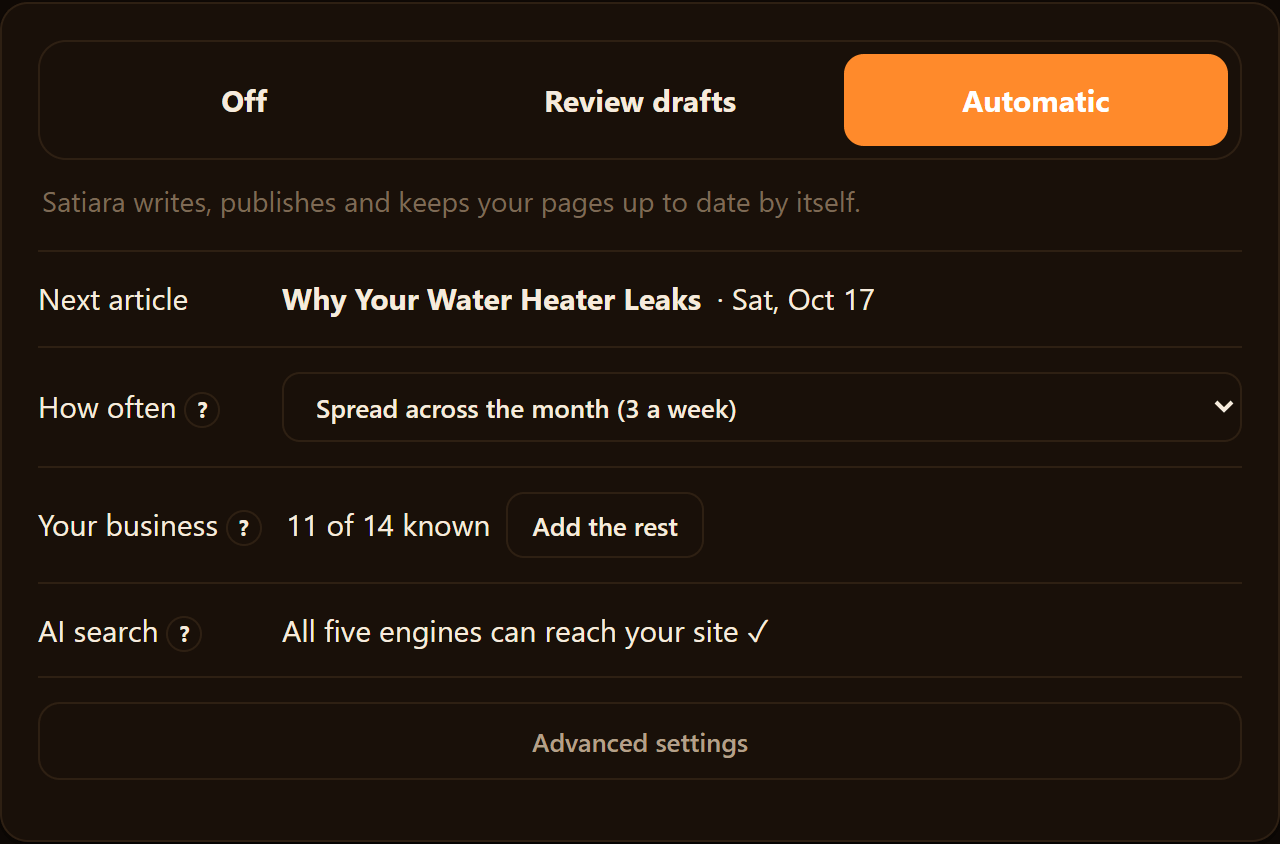
Match the Tool Category to Your Situation
The right choice depends on how many sites you run and how much you want handled for you.
| Your situation | Best category | What to prioritize |
|---|---|---|
| Solo site, no SEO help | Full SEO workflow tool | Runs strategy to publishing, review-first mode |
| Agency, many client sites | Multi-site platform | Per-site controls, permissions, reporting |
| Enterprise, in-house team | Enterprise SEO suite | Approval workflows, audit logs, integrations |
| WordPress-only, light needs | CMS plugin | On-page fixes, low cost, no structural power |
A solo owner with no specialist wants a tool that handles the whole workflow, from finding content gaps to connecting related pages. Satiara sits in that first row, running the plan while leaving destructive changes for you to approve.
When a Single Tool Is the Wrong Answer
Automation is not always the fix. If you have one page to write and clear ideas, a strategist plus a writer may serve you better.
A messy site with tangled URLs might need a human audit before any tool touches it. And a simple content calendar sometimes beats software you never fully learn.
Turn It All Into a Scored Checklist
Give each tool a score from 1 to 5 on the criteria below, using your own site during the trial.
- Reads your real Google Search Console data
- Opportunities check out as real and winnable by hand
- Draft content reads specific, not generic
- Structural changes need your approval, never silent
- Clear review-first versus auto-publish choice
- Replaces enough of your stack to justify cost
- No disqualifying red-flag claims
Add up the scores before you connect your data or hand over a card. The tool with the highest honest total, not the best demo, is the one to buy.
Turn the Scores Into a Purchase
You now have a way to compare tools that a sales call cannot fake. Connect each candidate to your own site, score it against the same criteria, and let the weighted totals rank them for you.
Trust the numbers over the demo. The right tool reads your real data and keeps you in control of structural changes. The one that earns the highest honest score is worth your card.
Score first. Buy second.
Frequently asked questions
How long does it take to evaluate an SEO automation tool this way?
You can run the core tests in an afternoon if you prepare your five URLs and known queries first. The Search Console match test and the same-URL comparison are the two that take real time.
Do I need a paid plan to test a tool properly?
Most tools offer a trial or a read-only connection, which is enough to check data accuracy and coverage. Confirm the trial lets you connect Search Console and process your real pages before you commit.
Can one SEO automation tool replace my whole stack?
Sometimes. A tool that handles keyword research, drafting, and reporting can retire several apps you pay for now. One that only adds to your stack is usually the more expensive choice over time.
Is auto-publish ever worth turning on?
It can be, if the tool has proven accurate on your site and you accept the risk. Enable it knowingly, and keep destructive changes like redirects behind a manual approval step.
What if my site is too messy for a tool to handle?
A site with tangled URLs or duplicate pages may need a human audit before any automation touches it. Fix the structural mess first, then let a tool handle the ongoing work.
About Satiara
Satiara is an AI-driven SEO automation / SEO operating system for a startup or SaaS founder. This article was written by the Satiara team as part of our ongoing coverage of how to evaluate an seo automation tool. More about Satiara.