How to Judge SEO Software Data Before You Trust It
Key takeaways
- Write down your one broken problem first, then weight your criteria around it instead of scoring every feature equally.
- Test data accuracy inside the free trial by checking five keywords you already rank for against an incognito search.
- Score whether a tool does the SEO work or only reports it. A dashboard of red flags helps only if someone acts on each one.
- Confirm the tool reads your real Google Search Console data, not just third-party estimates, before you treat any number as fact.
- Find the export button during the trial and check what actually leaves, because switching cost is the quiet part of this decision.
Judge SEO software by its data before its features. Check its keyword numbers against your own Search Console, ask how its difficulty score is worked out, and confirm it reads your real Search Console data rather than estimates. Then weigh workflow fit, control and total cost, and trial each tool on your own pages.
You are staring at open tabs, and every vendor sounds impressive at something. That is the trap.
A feature checklist tells you a tool has a thing, not whether its numbers can be trusted. Below is how to test the data, then the fit. For a full buying scorecard with dealbreakers, see how to evaluate an SEO automation tool.
What Does "SEO Software" Actually Cover?
The label "SEO software" hides a wide range of tools that barely overlap. Some just report numbers. Others do the actual work.
Types of SEO Software
That gap is why comparing tabs feels impossible. Two products both call themselves SEO software, but one hands you a dashboard and the other changes your pages.
It helps to sort what these tools actually do into a few buckets.
- Research tools surface keyword opportunities, content gaps, and search volume so you know what to target.
- Tracking tools watch your rankings and traffic over time, telling you where you sit in the SERP.
- Audit tools scan your site for technical problems like broken internal linking or indexing issues.
- Content tools help you write or optimize pages for on-page SEO.
- Automation tools run several of these steps as one continuous SEO workflow instead of separate apps.
Most vendors bundle two or three of these and market the bundle as a full solution. That framing is where buyers get tripped up.
Picking one is harder than it looks because the categories are marketed as equivalent when they are not. A research tool cannot fix your pages. An audit tool cannot write them.
The deeper split sits under all of it. Does the tool report on your SEO, or does it do the SEO?
Reporting tools tell you a page is thin. Doing tools rewrite the page, connect it to related content, and push the change live.
That distinction matters most when you have no SEO specialist on staff. A dashboard full of red flags helps only if someone knows how to act on each one.
So before you score a single tool, decide which of these jobs you actually need done. A rank tracker and an SEO operating system solve different problems. Paying for one when you needed the other is the quiet way this decision goes wrong.
The rest of this guide gives you criteria to score tools against, from data accuracy to workflow fit. The choice then rests on what fits your team rather than which tab loaded first.
Why SEO Software Isn't a Normal SaaS Purchase
Most SaaS you buy does a job you already understand. You want invoicing, so you check if the invoicing tool sends invoices. The feature list answers the question.
SEO software breaks that logic. The job itself is fuzzy, and two tools can claim the same feature while producing wildly different results.
Take "keyword research." One tool shows you a list. Another finds the keywords, checks which ones you can realistically rank for, and drafts pages against them.
That gap is why a feature checklist misleads you. Checking a box tells you the tool has a thing. It does not tell you whether it moves your rankings or just adds another dashboard.
Define the Win Before You Compare Tools
Decide what success looks like before you open a single trial. Otherwise every tool looks good, because every tool is impressive at something.
Write down one measurable outcome. Not "better SEO." Something like "10 new pages ranking on page one within six months" or "our top 20 old pages refreshed and re-indexed."
A clear win turns the purchase into a bet you can settle. If the tool hits the number, it paid for itself. If it doesn't, you know to move on instead of renewing out of habit.
Checklist Buying vs. Criteria Buying
Picture a founder replacing a spreadsheet and a freelance writer. The feature-checklist path goes fast and feels safe.
Both shortlisted tools have keyword research, rank tracking, and content briefs. The founder picks the cheaper one, because the checkboxes match. Three months later the reports are lovely and nothing new is ranking.
The tool reported, and the founder still did the work.
Now run the criteria path. Same founder, but the question shifts to "which tool closes the gap between knowing and doing. And lets me approve before anything ships."
One tool spits out data. The other reads real Search Console numbers, picks winnable pages, and drafts them in the brand voice. It waits for a yes before publishing.
That second tool costs more per month and still wins, because it replaces the freelancer instead of scheduling more homework.
The criteria below sort those two apart. They score whether a tool does the SEO work and whether you keep the final call while it does.
Start With the Problem, Not the Feature List
Before you score a single tool, write down what broke. That one sentence sets every criterion that follows.
Most people skip this step and start clicking through feature pages. Then they buy the tool with the shiniest dashboard, not the one that fixes their actual gap.
Your problem shapes your scorecard. A founder with no content at all needs something very different from a marketer sitting on 80 stale posts.
Name the Gap in Plain Words
Pick the sentence that sounds most like you:
- "I publish nothing." You need a tool that finds keyword opportunities and creates pages, not just one that audits.
- "I publish, but nothing ranks." Your gap is strategy: topic clusters, internal linking, and picking winnable opportunities over vanity keywords.
- "I have old pages losing traffic." You need content refresh and on-page SEO fixes, not a firehose of new drafts.
- "I pay a freelancer and a stack of tools." Your gap is coordination, one workflow instead of five logins.
Each of those points to a different set of must-haves. The founder with nothing published shouldn't pay for enterprise rank-tracking they'll never open.
Turn the Gap Into Scoring Weights
A criterion only matters if it moves your specific problem. So weight the ones tied to your gap and ignore the rest.
Say your problem is stale pages. Content refresh and Search Console reading should carry heavy weight in your scorecard. A pretty backlink graph can score near zero.
Now flip it. If you publish nothing, the ability to actually produce pages in your brand voice outweighs every reporting feature on the page.
Decide How Much You Want the Tool to Do
This is the split the ranking pages skip. Some tools report on SEO. Others do the work.
A reporting tool hands you a list of problems and leaves the fixing to you or a freelancer. A doing tool creates the page, sets the internal links, and handles on-page SEO itself.
Neither is wrong. But you have to decide which one your problem needs before you compare prices.
Set Your Control Line Now
The other half of the question is how much control you keep. This is a criterion, not an afterthought.
Ask yourself where you want the human checkpoint. Do you want to approve every page before it goes live, or let it publish and review results later?
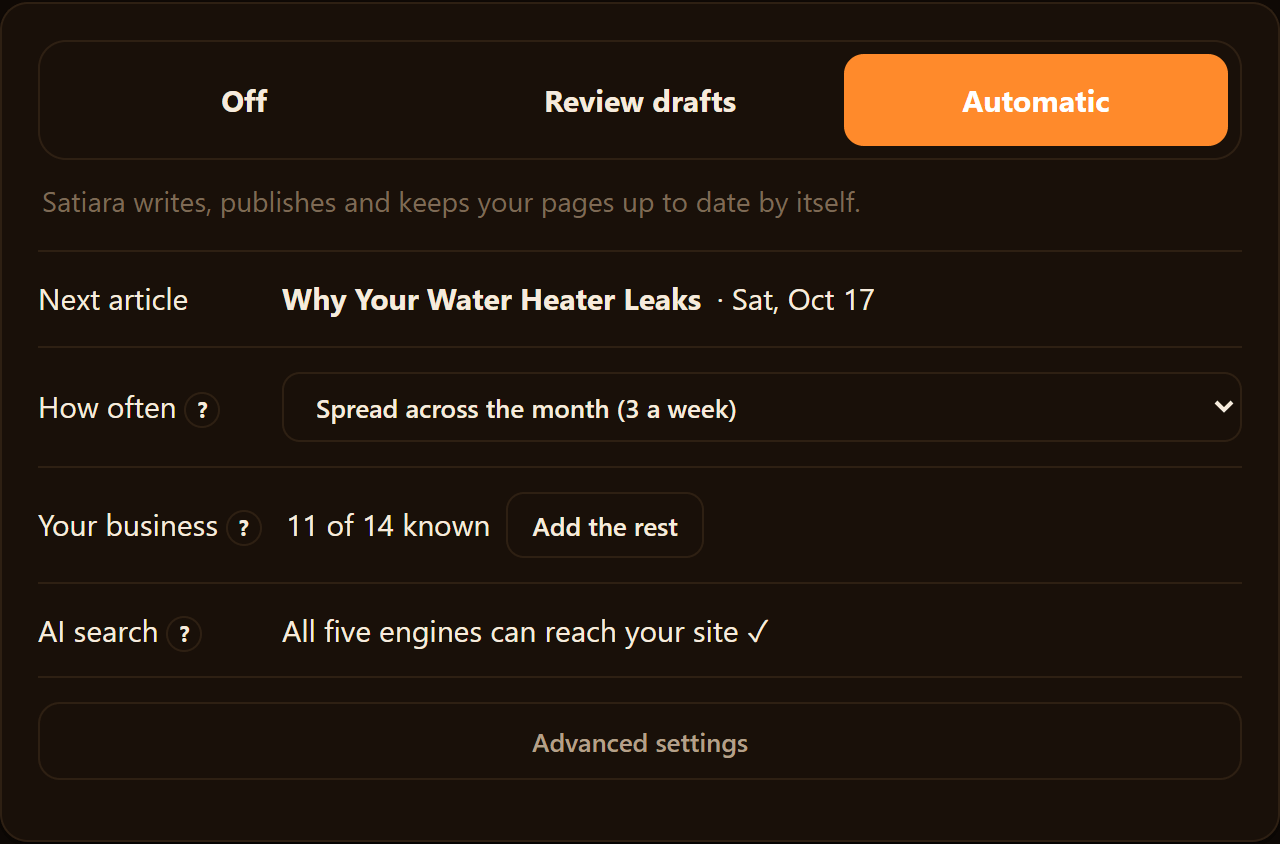
Tools handle this differently. Some offer review-first mode where nothing publishes without your sign-off, and others default to auto-publish. The best ones let you pick per your comfort and keep destructive structural changes from applying silently.
Write your control line down as a rule. "Nothing publishes without my review" or "auto-publish drafts, alert me on big structural moves." That rule becomes a pass-or-fail criterion in every demo.
Once your gap and your control line are on paper, the rest of the criteria below stop being generic. They start scoring for you.
How to Judge Data Accuracy Before You Trust It
Every SEO tool sells you numbers. The real question is whether those numbers match what's happening on your own site.
The accuracy trial, step by step
- 1Check 5 ranked keywords in incognito
- 2Compare tool traffic estimate to analytics
- 3Confirm it surfaces the same competitors
- 4Ask last crawl date, check a page from this week
- 5Run one export and inspect the file
Data quality breaks down into three things you can actually test. How accurate the data is, how big the index behind it is, and how fresh the crawl is.
Accuracy means the keyword and traffic figures line up with reality. Index size means how many pages and keywords the tool has ever seen. Freshness means how recently it recrawled, because a ranking from six weeks ago is a guess, not a fact.
Test Data Accuracy Inside the Trial
Vendors will tell you their data is accurate. That's their job. Yours is to check it against a source you already trust.
You have one built-in reference: your own site's real performance. Use it during the free trial, not after you've paid.
- Pick five keywords you already rank for and check by hand in an incognito browser.
- Compare your actual position to what the tool reports for the same term.
- Note the gap. A difference of one or two spots is normal. A difference of ten means the data is stale or estimated.
- Pull the tool's traffic estimate for a page, then compare it to your real numbers in analytics.
- Search a keyword you know is competitive and see if the tool surfaces the same competitors you see ranking.
Do this for a few pages, not one. A single lucky match tells you nothing.
Check Freshness and Index Size
Ask the tool when it last crawled a specific page. A good product shows you a date, not a shrug.
To test index depth, look up a page you published this week. If the tool already knows about it, the index is being fed often. If it's missing, the crawl is slow, and your fresh content will lag in every report.
Small index size shows up as blind spots. Search a long-tail keyword you know converts. If the tool returns nothing, it can't see the opportunities you care about.
Data Portability: What Breaks When You Leave
Switching cost is the quiet part of this decision. The more your work lives inside one tool, the harder it is to walk away later.
Before you sign, find the export button. Then find out what actually comes out of it.
- Keyword lists and rankings: can you export the full history, or just a snapshot?
- Content and drafts: do you keep the pages the tool created, or do they stay locked in the platform?
- Internal linking maps: is your site structure work portable, or does it vanish on cancellation?
- Connected data: if the tool pulls from Google Search Console, that connection is yours to keep. But any layer built on top of it may not be.
Try one export during the trial. If the file is thin or the format is unusable, that's your answer about how trapped you'd be.
A tool that does the work for you creates real lock-in, because leaving means recreating months of pages and links. That's fine if the work is good and portable. It's a trap if you can't take it with you.
How to Judge a Difficulty Score You Can't See Inside
Every tool sells a keyword difficulty score. Almost none of them show you the math behind it.
That matters because a difficulty score is a guess dressed as a number. Say one tool calls a keyword hard while another calls it moderate.
The score isn't wrong, exactly. It's built from that vendor's own index and their own weighting of backlinks, domain age, and page signals. You're trusting a black box.
So the question isn't "what's the score." It's "can I check how they got there, and does it hold up against my own results?"
Three Tests for a Proprietary Metric
Run these during a demo, before you sign anything.
- Ask for the inputs. A trustworthy vendor names what feeds the score, like referring domains, content depth, or SERP features. A hand-wave answer is a red flag.
- Spot-check five keywords you already rank for. If the tool rates them "hard" but you rank on page one, its model doesn't match your reality.
- Check what it does with the score. A report shows you the number. A tool that acts flags the ones worth chasing and says why.
That third test is the one the ranking pages skip. A difficulty score you can filter and sort is a dashboard feature. A tool that turns "winnable opportunities" into an actual plan is doing SEO work.
Ask the vendor plainly: does this metric drive a decision, or just decorate a spreadsheet?
A Weighted Scorecard You Can Fill in During a Demo
Here's the core problem with vendor tabs. You compare on whatever the last salesperson emphasized, not on what your site needs.
Fix that with weights. Score each tool 1 to 5 on every criterion, multiply by the weight, and total it.
| Criterion | Suggested Weight | Tool A (1-5) | Tool B (1-5) |
|---|---|---|---|
| Data accuracy and crawl freshness | 20 | ||
| Google Search Console integration (real data) | 20 | ||
| Does the work vs. only reports it | 15 | ||
| Metric transparency (can you check the method) | 10 | ||
| Control (review vs. auto-publish, approval on structural changes) | 15 | ||
| Workflow fit (steps added vs. removed) | 10 | ||
| Data portability (can you leave with your work) | 10 |
The weights aren't sacred. They're a starting point you should bend to your own situation.
Re-Weight for Who You Actually Are
The same scorecard serves three very different buyers. Adjust before you fill it in.
Solo owner or small team. You have no SEO specialist and little time. Push "does the work" and "control" higher, and drop metric transparency, since you won't audit a difficulty model by hand.
In-house SaaS marketer. You answer to a boss and a brand. Weight Search Console integration and control near the top, because approval on structural changes protects a live product site.
Agency. You run many client sites at once. Lift data accuracy and portability, since you need defensible numbers and clean handoffs when a client leaves.
One caution for the solo and small-team buyer. Some platforms are built for large teams and priced to match, so weight against anything you can't run without a dedicated analyst. Search Engine Journal's roundup of enterprise SEO platforms shows what "heavy" looks like before you rule it in.
Fill the card in live, on the call. A vendor who fits will watch the score climb. One who doesn't will steer you back to their favorite feature.
Does the Tool Use Your Real Search Console Data?
Every SEO tool shows you numbers. The question is whose numbers.
Some tools run entirely on third-party estimates. They model search volume, clicks, and rankings from their own crawl and a sample of clickstream data. That is a guess about how your site performs, not a record of it.
Google Search Console shows what actually happened. Which queries brought impressions, what you ranked for last Tuesday, where a page slipped from position 8 to 14. A tool that reads your real Search Console data is working from truth, not a proxy.
So score two things here. First, does it connect to Search Console at all. Second, does it use that data to drive decisions, or just display it next to its own estimates.
What to Score on the Integration Line
The connection itself is the easy part. A tool either has the OAuth link to Search Console and your analytics, or it doesn't. Ask on the demo and watch them authorize a live account.
The harder question is what the tool does with that data. A read-only dashboard is fine, but it still leaves the analysis to you.
What moves the needle is a tool that turns your real query data into next steps. Pages losing impressions get flagged for a refresh. Queries you rank on page two for become winnable opportunities instead of a line in a spreadsheet.
You should also check whether it writes changes back safely. If the tool acts on structure or on-page SEO from that data, confirm it does so in review mode. This applies unless you tell it otherwise.
Real data driving automatic changes with no approval step is a fast way to break a site.
One more marker of a serious tool: it enriches your content with structured data. Schema.org markup helps search engines read your pages more precisely. Schema.org itself notes that implementing it improves how content is understood, even though search engines already parse text well.
The Scorecard on Two Kinds of Tool
Score each tool 0 to 2 per row: 0 means no, 1 means partial, 2 means yes. Here are two contrasting types run through it.
| Criterion | Estimate-only research tool | Search Console-connected workflow tool |
|---|---|---|
| Connects to Search Console | 0 | 2 |
| Uses your real query data, not just estimates | 0 | 2 |
| Surfaces winnable opportunities from that data | 1 | 2 |
| Flags pages for content refresh automatically | 0 | 2 |
| Applies changes only after your review | 2 | 2 |
| Total (out of 10) | 3 | 10 |
The research tool scores well on control because it never touches your site. It also can't act on your real data, because it doesn't have any.
That gap is the whole point. If you want reporting, an estimate-based tool is enough. If you want a tool that runs the SEO workflow from what your site actually does, the connected side wins.
The Search Console line is a dealbreaker, not a nice-to-have.
Satiara sits on the connected side of this table, reading your real Search Console data before it suggests a single change. Score any tool you shortlist the same way, and the split gets obvious fast.
How to Judge Whether a Tool Fits Your Workflow
A tool can have accurate data and honest metrics and still be wrong for you. The question is whether it fits how you already work, or whether it bolts on ten extra steps.
Reporting buys homework, execution buys help
Do
- ✓Tool writes the draft for you
- ✓Tool adds internal links
- ✓Tool refreshes old pages
- ✓Tool publishes to your CMS
Avoid
- ✗You find gaps from a list
- ✗You open the CMS and fix each
- ✗You rebuild pages by hand
- ✗You approve nothing, you type it all
Start with a blunt distinction. Some tools report problems. Others do the work.
A reporting tool hands you a list. Missing meta descriptions, thin pages, orphaned URLs, weak internal linking. You still open the CMS and fix each one yourself.
An execution tool closes the gap. It drafts the page, adds the internal links, handles on-page SEO, and leaves you approving instead of typing. That difference is the biggest driver of how much time you actually save.
Score this directly. For each core task, ask: does the tool do it, or does it just tell me to do it?
| SEO task | Tool does it | You still do it |
|---|---|---|
| Find content gaps | ||
| Write the draft | ||
| Add internal links | ||
| Refresh old pages | ||
| Publish to your CMS |
Fill it in for every shortlist candidate. The pattern tells you whether you bought help or homework.
Integrations Are Where Time Leaks Out
A tool that lives in its own dashboard forces copy-paste. That is a hidden tax on every task.
Check three connections before anything else. Your CMS, your analytics, and the data source that drives suggestions (that connection was the subject of the last section).
Ask how publishing works. Does the tool push a finished page into WordPress, Webflow, or your headless setup? Or do you export text and rebuild it by hand?
If a vendor supports a custom connector for platforms it does not natively integrate with, that widens what you can automate. A protocol for exactly this means an unusual stack is not an automatic dealbreaker.
Automation Without Losing Control
More automation sounds great until the tool changes your site without asking. Then it sounds terrifying.
The tradeoff is not automation versus control. A good tool gives you both by making the risky moves visible and optional.
Two things deserve special attention. First, publishing mode. Can you choose review-first, where you approve every page, versus auto-publish, where it ships on its own?
Second, structural changes. Redirects, page consolidations, and deletions can wreck your rankings if done blindly.
A tool should never apply a destructive structural change silently. You want a clear approval step before anything gets merged, redirected, or removed. Satiara treats these as owner decisions and does not apply them without you.
Voice matters here too. If the tool writes for you, it should learn your brand voice so the output reads like your company, not generic filler.
Total Cost Is More Than the Sticker Price
The monthly fee is the number vendors show you. It is rarely the number you pay.
Add the setup time, the seats, and the hours your team spends fixing what a reporting-only tool flags. A cheaper tool that generates more manual work can cost more than a pricier one that does the work.
Factor in what it replaces. Compare against your current spend on a freelancer, a writer, or a stack of single-purpose tools. That comparison is where break-even ROI becomes real.
Onboarding and support belong in the math. A tool nobody adopts is pure waste, no matter how strong the feature list.
Turn It Into a Scorecard
Buying from a feature checklist is a mistake because every vendor checks every box. What matters is weight, not presence.
Assign a weight to each criterion based on your situation from earlier sections. Consider data accuracy, metric honesty, real Search Console data, execution versus reporting, integrations, control, and total cost.
- List your criteria and give each a weight out of 100.
- Score each shortlisted tool 1 to 5 per criterion.
- Multiply score by weight and total the columns.
- Run a real trial on your actual site, not the demo data.
Suppose execution matters most to you, so you weight it at 30 and rank tracking at 5. A tool that only reports will score low where it counts, even if its dashboards look sharp.
Sometimes the honest answer is not to buy. If you have an in-house specialist and a working process, a spreadsheet plus a freelancer may still win.
An SEO operating system earns its place when you have no specialist and want the workflow run for you. Safely, with you approving the calls. Score against your own weights, trial it on your own pages, and the fit stops being a guess.
Making the Call With Confidence
You now have a way to score tools that ignores whichever feature the last salesperson pushed hardest. Name what broke, weight the criteria that touch it, and let the low scores fall where they may.
Watch how the numbers match your reality, how much work the tool does, and whether you keep the final call.
Sometimes the honest answer is a spreadsheet and a freelancer. More often, the scorecard makes one option pull clearly ahead, and that is the decision you can defend.
Frequently asked questions
How long should an SEO software evaluation take?
Give yourself the length of a free trial, usually a week or two. That way you can test data accuracy and one export on your own site. Rushing to a same-day decision means scoring on demo data instead of your real pages.
Is expensive SEO software worth it for a small business?
It depends on what the tool replaces. A pricier tool that does the writing and linking can cost less than a cheap one. The cheap one flags problems you still pay a freelancer to fix.
Compare against your current stack and freelance spend, not the sticker price alone.
Can I just use free tools like Google Search Console?
Google Search Console alone shows what already happened. It reports queries, impressions, and where your pages rank. It does not surface which opportunities are winnable, and it does not do any of the work for you.
So free tools alone suffice only if you are happy interpreting raw data and executing every fix yourself.
How many SEO tools should I shortlist before deciding?
Two or three is plenty. More than that and the trials blur together, and you end up comparing memories instead of scores. Narrow by your named problem first, then trial the survivors on the same criteria.
About Satiara
Satiara is an AI-driven SEO automation for a startup or SaaS founder. This article was written by the Satiara team. More about Satiara.