Questions to Ask an SEO Software Vendor Before You Buy
Key takeaways
- Ask each vendor to name their data sources. Confirm the tool connects to your real Google Search Console, not a generic keyword database.
- Make the vendor walk one opportunity from start to finish, and count how many steps land back on your desk as tasks.
- Demand a clear line between changes that run automatically and destructive ones, like merges or redirects, that must wait for your approval.
- Before signing, confirm your content lives on your own CMS and that you can export your plan and data anytime you cancel.
- Judge proof by measured before-and-after Search Console results, not walls of testimonials with no numbers behind them.
Ask an SEO software vendor how it reads your data and whether it does the full workflow or just parts. Ask what it changes on its own versus with your approval, how it decides what matters, and how you keep control. Also ask what each plan limits and what happens to your work if you leave.
Most vendor question lists online were written for hiring an agency. They ask about references and monthly calls. None of that fits software that acts on your site directly.
You need questions that expose where a weak tool quietly hands the work back to you. The seven areas below do exactly that.
What Is SEO Software Actually Supposed to Do?
SEO software should run the work of ranking your site, not just describe it. That means reading your real data, finding what to fix, doing the fixing, and watching what happens next.
| Question area | Vendor A | Vendor B |
|---|---|---|
| Acts vs. advises | ___ | ___ |
| Reads your real data | ___ | ___ |
| Gives a sequenced plan | ___ | ___ |
| Covers the full workflow | ___ | ___ |
| Keeps you in control watch this row: high doers can still fail here | ___ | ___ |
| Total | ___ / 10 | ___ / 10 |
Add each column. The higher score does more of the job. A high total with a low control row can still change your site without approval.
An agency does the same, but with people. You pay for a strategist, a writer, and an editor. The tool version bundles that into a subscription that acts on your site directly.
This is why generic vendor checklists mislead you. Almost every "questions to ask" list online is written for hiring an agency or a consultant.
Those lists ask about client references, account managers, and monthly reporting calls. None of that maps to software.
You need different questions. A tool can hand you a keyword list and call it done. An agency can't get away with that, but a dashboard can.
How Software and Agencies Fail You Differently
An agency fails slowly and openly. You see the invoices, the calls, and the missed deadlines.
Software fails quietly. It generates tasks you never finish, or it changes your site in ways you didn't approve.
The real question isn't "who is more skilled." It's whether the thing you're paying for does the full SEO workflow or just one slice of it.
A writing tool produces drafts. An SEO operating system studies your site, sequences a plan, improves old pages, creates new ones, links them, and tracks results. Those are not the same purchase.
Group Your Vendor Questions by What They Reveal
Split your questions into five buckets. Each one exposes a place where a weak tool quietly hands the work back to you.
- Does it act, or advise? Whether the tool does the work or just produces a to-do list.
- Real data. Whether it connects to your actual Google Search Console or guesses from generic estimates.
- Prioritization. Whether it gives you a sequenced plan or a raw pile of keywords.
- Scope. Whether it covers the full workflow or only on-page writing.
- Control and safety. How much say you keep over voice, publishing, and structural changes.
Copy those five headers into a note before your next demo. Under each, write the vendor's real answer, not the sales version.
A Simple Way to Score Two Vendors
After each demo, rate the tool on the same five buckets. Give each one a 0, 1, or 2.
A 0 means the tool leaves that work to you. A 1 means it helps but you still drive. A 2 means it does the work and reports back.
| Question area | Vendor A (0-2) | Vendor B (0-2) |
|---|---|---|
| Acts vs. advises | ||
| Reads your real data | ||
| Gives a sequenced plan | ||
| Covers the full workflow | ||
| Keeps you in control |
Add the columns. The higher score is the tool that does more of the job for you.
Watch the "control and safety" row closely, though. A tool can score high on doing the work and still fail you if it makes changes you never approved.
The sections below turn each bucket into the exact questions to ask. Start with the one that catches the most tools off guard: whether the software does the SEO work itself.
Does the Tool Do the SEO Work Itself?
Most SEO tools are report generators. They scan your site, spit out a list of problems, and leave the actual work to you.
- it shows you
- it highlights
- it suggests
- it writes
- it updates
- it links
That distinction matters more than any feature list. A tool that hands you 200 keyword ideas has not done SEO. It has assigned you homework.
So ask the vendor directly: after I connect my site, what does the tool actually do without me?
Listen for verbs. "It shows you," "it highlights," and "it suggests" describe a dashboard. "It writes," "it updates," and "it links" describe work getting done.
Questions That Separate Doers From Reporters
Push past the demo polish with these:
- Does the tool rewrite and refresh existing pages, or only flag which ones are weak?
- Does it create new pages from a content gap, or just name the gap?
- Does it add internal links between related pages, or hand you a list of link suggestions to place yourself?
- When it finds a winnable opportunity, does it act on it or add it to your queue?
A reporting tool answers most of these with "we tell you." An operating tool answers with "we do it, and you review it."
Count the Tasks It Creates
Here is a simple test. Ask the vendor to walk you through one full opportunity, start to finish.
Watch how many times the flow lands back on your desk. Every "then you export this" or "then you paste that into your CMS" is a task the tool made for you. It is not one it removed.
Suppose a tool finds ten weak pages in a scan. If it drafts the rewrites for you to approve, that is ten tasks handled. If it just lists the ten, that is ten tasks created, and you are still the SEO department.
Some platforms, Satiara among them, treat writing as one step inside a longer loop. That loop also improves old pages, builds new ones, and connects them. Ask whether the vendor's tool closes that loop or stops at the report.
The right answer is not "we do everything blindly." You still decide what ships, which the later section on control covers. The point here is narrower: does the software carry the load, or just describe it?
What Data Does the Tool Actually Read?
Two tools can promise the same features and still work from completely different information. One reads your real site and your real Google data. The other guesses from a public keyword database and hopes it matches.
What Data Does the Tool Actually Read?
Ask the vendor to name their sources out loud. The answer tells you whether the tool sees your business or a generic version of it.
The most important question is short: does it connect to my Google Search Console? Search Console is Google's own record of how your site performs, which queries bring you clicks, and where you rank right now.
A tool wired into that data works from what Google already knows about you. A tool without it estimates, which is fine for a rough map. But estimates cannot tell you which existing pages sit on page two, one small push from real traffic.
Push for specifics on what the connection covers. A live demo is the place to see it, not a slide.
- Does it read your actual queries and impressions, or just a third-party keyword list?
- Can it show pages that already rank but underperform?
- Does it track indexing, so you know which pages Google has even found?
- Does it pull from analytics or your CMS to see what content already exists?
The second half of this question is what the tool does with that data. Reading is one thing. Acting is another.
Some tools only recommend. They read your Search Console, hand you a report, and the work still lands on your desk. Others take the next step and produce the fix.
Whether that is a rewrite of a weak page or a new page for a content gap.
Ask plainly: after you read my data, do you act on it or just describe what you found? A vendor comfortable with the answer will walk you through a real example on your own site.
This matters more now that search itself has changed. AI Overviews appeared in around 21% of searches at one point, according to the Semrush Report. So your data footprint feeds AI answers too, not only the classic blue links.
Watch how a vendor handles the connection to your platform. Some support only a handful of popular systems. Satiara uses its Connector Protocol to link any platform, which matters if you run something less common.
One last check. Google Search Central, Google's own guidance, tells buyers to ask a provider whether they have worked with your industry. Put that question to every vendor you interview.
How Does the Tool Decide What to Work On?
A keyword list is not a plan. It is a pile of ideas with no order, no reasoning, and no sense of what pays off first.
The question that separates real software from a fancy spreadsheet is simple. Ask the vendor to show you how the tool goes from raw data to a decision about what happens today.
You want to see a sequenced plan, not a dump of 500 keywords sorted by volume. Volume alone tells you nothing about whether you can actually win the ranking.
Push on the word winnable. A good tool weighs your current authority, the pages you already have, and how hard a search result is to break into. Then it picks the opportunities where you have a real shot.
Here is what to make the vendor prove during the demo.
- Does it group pages into topic clusters, so related content works together instead of competing?
- Does it tell you why one task ranks above another, in plain language?
- Does it separate fixing old pages from writing new ones, and order both?
- Can it point to specific content gaps, meaning topics your competitors cover and you do not?
Ask the vendor to walk through one real decision on a sample site. Have them explain why item one comes before item five.
If the answer is "it sorts by search volume," that is a keyword tool wearing a costume. You will still be the one deciding what matters, which is the work you hoped to hand off.
Good software also updates the plan as results come in. A page that climbs frees up attention for the next opportunity. A page that stalls gets flagged for a refresh, meaning an update to existing content rather than something brand new.
You should leave the demo able to answer one thing. If you logged in tomorrow, would the tool tell you exactly what to do next, and why?
That is the line between an operating system that runs the work and one more app that hands you homework.
Does the Tool Cover the Whole Workflow or Just Writing?
Many tools that sell themselves as SEO platforms are really writing apps in a nicer outfit. They generate a draft, and the rest is on you.
The Five SEO Jobs: Where Writing-Only Tools Stop
- 1Strategy: pick topics and clusters
- 2Writing: match voice and intent
- 3Editing: tighten drafts, fix on-page (writing-only tool stops here)
- 4Internal linking: connect related pages (skipped)
- 5Monitoring: track results, refresh slipping pages (skipped)
The problem is that writing is one step out of many. A tool that only writes leaves the hardest parts undone.
Ask the vendor to walk through what happens after a draft exists. Does the tool publish it, link it, and track how it performs? Or does it stop the moment the words are done?
Real SEO covers five jobs. Skip any of them and rankings stall.
- Strategy: deciding which topics and clusters to target, and in what order.
- Writing: producing content that matches your voice and answers real search intent.
- Editing: tightening drafts and fixing on-page details like headings and meta descriptions.
- Internal linking: connecting related pages so search engines understand your site structure.
- Monitoring: watching results and refreshing pages that slip.
Internal linking is the one most tools quietly ignore. It ties new pages to old ones, and it signals which pages matter most.
A writing-only tool hands you a page with no links in or out. You have to remember which old posts to update, then edit each one by hand.
Ask this directly. When you publish something new, does the tool add links from related existing pages automatically, or is that your job?
Improving old pages matters just as much as creating new ones. A page that ranked last year may be sliding right now.
So ask whether the tool spots pages that need a content refresh and updates them. Or does it only ever produce fresh drafts? A tool that never revisits old work leaves easy wins on the table.
Here is a simple test for scope. Name one page on your site that is underperforming, and ask what the tool would do about it end to end.
A narrow tool will offer to write a new article. A tool built to run the workflow will explain the plan: refresh the page, link it, and watch whether the change works.
That difference decides whether you are buying a helper or an operating system that owns the whole loop. One reduces your task list. The other adds to it.
How Much Control Do You Keep Over Goals, Voice, and Publishing?
Handing SEO to software feels like handing someone your car keys. The right vendor lets you set the destination and take the wheel back anytime.
Ask who decides what the tool works toward. You should set the goals, the topic clusters, and which pages matter. If the tool picks targets on its own with no way to correct it, you are along for the ride.
Voice is where cheap tools give themselves away. Content that ranks but reads like anyone wrote it will not sound like your business. Ask how the tool learns your brand voice, and whether you can see and edit that voice profile.
Then pin down publishing. This is the question most demos skip.
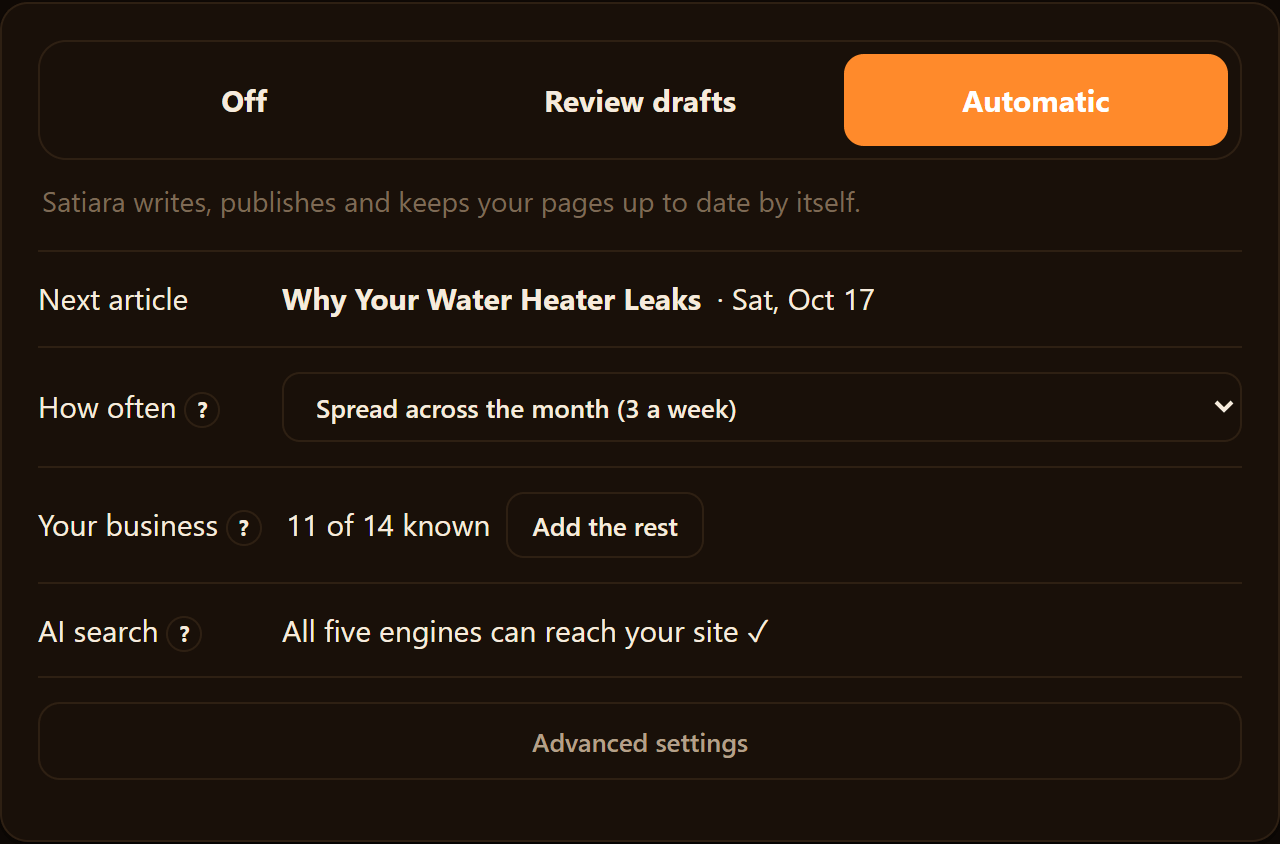
A tool can work in review-first mode, where nothing goes live until you approve it. Or it can work in auto-publish mode, where approved rules let it publish on its own. You want both options, and you want to choose which one runs.
Here are the control questions worth asking before you sign anything:
- Who sets the goals and clusters, me or the tool?
- Can I edit the brand voice the tool writes in?
- Does content go live only after I approve it?
- Can I switch between review-first and auto-publish anytime?
- What access level does the tool need on my site?
- Can I revoke that access without breaking my content?
Access is the last piece, and the one people forget. A tool that improves pages and adds internal links needs real access to your site. Ask exactly what permissions it takes, and confirm you can pull them back cleanly.
Good software treats these as your settings, not its defaults. You should be able to change your voice, your goals, or your publishing mode without a support ticket or a sales call.
If a vendor cannot answer these plainly, that is your answer. Control you cannot see is control you do not have.
Will the Tool Change Your Site Structure Without Asking?
Some SEO changes are reversible. Others are not.
When a tool consolidates two pages into one, or redirects an old URL, that decision reshapes your site. Do it wrong and you lose rankings you already earned.
So the question is simple. Ask the vendor: which changes get applied automatically, and which ones wait for my approval?
A safe tool draws a clear line. Small on-page edits might run on their own. Anything that deletes, merges, or redirects a page should pause for a human first.
Ask directly: can this tool consolidate or redirect a page without me clicking approve?
You want to hear "no, never" for destructive changes. A vendor who shrugs at this question is telling you your site is theirs to rearrange.
| Question | Strong answer | Red flag |
|---|---|---|
| Can it consolidate or redirect pages silently? | Destructive changes always need your approval, and you see exactly what will change before it runs. | "The AI decides what's best." No approval step named. |
| What runs automatically vs. waits for review? | A clear list, plus a review-first mode you can switch on. | Vague answer, or auto-publish with no off switch. |
| Can I undo a structural change? | Yes, with a record of what changed and when. | No history, no rollback. |
What Only You Can Supply
No tool knows your business the way you do. It cannot read your roadmap, your legal limits, or the product launch you have not announced yet.
You stay responsible for goals, brand voice input, and any page that carries real business weight. The software finds opportunities. You confirm they fit your plans.
Ask what the vendor expects from you each month. A good answer sounds like a short review, not a second job.
Hidden Limits and Extra Costs
Usage caps hide in the fine print. So do overage fees.
Ask how many pages, refreshes, or connected sites your plan covers. Then ask what happens when you cross that line.
You want a plain rate you can budget. Watch for tools that unlock basic safety features, like review mode or data connections, only on higher tiers.
What Happens If You Cancel
Lock-in is the quiet risk. A tool that owns your content or your plan can hold both hostage.
Ask three things before you sign. Does the content live on your own site or theirs, and can you export your plan and data? And do your published pages stay put if the connection drops mid-publish?
The right answer is that your pages are yours, hosted on your CMS, and nothing vanishes when the subscription ends. A tool that keeps your work behind its login has designed the exit to hurt.
| Ask about exit | Strong answer | Red flag |
|---|---|---|
| Where does my content live? | On your own site and CMS from the start. | Inside the tool, exported only on request. |
| Can I take my plan and data? | Yes, exportable anytime. | "Contact support." Or no export at all. |
| What if a publish fails halfway? | It rolls back cleanly and flags the error. | Half-published pages, no alert. |
Proof to Ask For, and What to Ignore
Ask for measured outcomes, not adjectives. A vendor who runs the full SEO workflow should show real pages that moved, with before-and-after visibility in Google Search Console.
Realistic timelines help you trust the answer. SEO takes months, not days, so a vendor promising fast wins is guessing or fibbing.
The red flag is a wall of testimonials with no numbers behind them. Ask what "results" means to them, and how you will measure it yourself once you start.
Your Copy-Ready Demo Checklist
Walk into the demo with these grouped questions. Judge each answer against the good-versus-red-flag lines above.
- Data: Do you read my real Google Search Console data, or estimate it?
- Workflow scope: Do you refresh old pages, create new ones, and connect related pages, or only write?
- Prioritization: Can you show me a sequenced plan of winnable opportunities, not raw keyword lists?
- Control: What runs automatically, and can I switch to review-first mode?
- Safety: Can you consolidate or redirect a page without my approval?
- Limits: What are the usage caps, overage fees, and tier-gated features?
- Exit: Where does my content live, and can I export everything if I cancel?
A vendor who answers all seven without flinching is worth your shortlist. Satiara was built around these exact lines, so if the answers matter to you, they should match what you hear.
Turn These Questions Into a Shortlist
You now have a way to sort vendors by what they actually do, not what the demo says. Score each one on data, scope, prioritization, control, safety, limits, and exit.
A tool that answers all seven plainly carries the load and leaves you in charge. A tool that dodges even one is telling you where the work will land, and it is on your desk.
Walk into your next demo with the checklist. The right answers should sound the same whether you are buying or the vendor is selling.
Frequently asked questions
What questions should I ask before choosing an SEO software company?
Ask each vendor to name their data sources first. Confirm the tool connects to your real Google Search Console, not a generic keyword database. Then ask whether it does the work or just reports it, how it decides what matters, and what it changes without your approval. End with plan limits and export rules if you cancel.
How is qualifying an SEO software vendor different from hiring an agency?
Software acts on your site directly, so agency-style questions miss the point. Agency lists ask about references, account managers, and monthly calls. None of that fits a tool that writes, links, and changes pages itself. Instead, ask whether the software does the workflow or hands the tasks back to you.
What are common questions people ask about SEO software before buying?
Buyers most often ask whether the tool does real SEO work or just generates reports. Other frequent questions cover the data it reads, how it prioritizes tasks, and whether it changes your site without approval. People also ask about hidden plan limits and what happens to their content if they cancel.
What should I ask an SEO software vendor in a demo interview?
Ask the vendor to walk one opportunity from start to finish, then count how many steps land back on your desk. Watch for verbs like writes, updates, and links, not just shows or suggests. Confirm the live connection to your Google Search Console. Ask which changes run automatically and which wait for your approval.
How much does SEO software usually cost?
SEO software is typically sold as a monthly or annual subscription, though pricing varies widely by vendor and plan. No verified third-party price is available here. Before signing, ask each vendor what every plan limits, what costs extra, and whether the price covers the full workflow or only content writing.
What happens to my content if I cancel an SEO software subscription?
Confirm your content lives on your own CMS, so canceling never deletes your pages. Ask whether you can export your plan, keyword data, and reports anytime you leave. A vendor that locks your work inside its platform gives you a weaker exit. Get the export and ownership terms in writing before you subscribe.
About Satiara
Satiara is an AI-driven SEO automation for a startup or SaaS founder. This article was written by the Satiara team. More about Satiara.