How to Choose SEO Software for Your Size: Free Tools First
Key takeaways
- Score any tool against five jobs before you pay: research, on-page analysis, technical crawl, internal linking, and tracking.
- Solo owners and small teams should start with free Google tools. Then add one affordable action-oriented tool that does the work, not just a dashboard.
- Agencies and enterprise teams need broad platforms or per-client crawlers, and should budget for seats and crawl depth across many sites.
- Run any paid tool on your own site during a free trial. Count how many findings come with a real next step.
- Ask who fixes the problem after the tool flags it. If the answer is you alone, buy a system that acts, not one that only measures.
Picking SEO software gets easier when you stop shopping by feature list. Define which of the five core jobs you need, then match the tool to your size, skill, and budget. Solo owners start with free Google tools plus one affordable tool, while agencies pay for broad platforms.
The tool lists all blur together for a reason. They sell to everyone at once, so every product claims to do everything.
You are not everyone. A plumber, a funded SaaS team, and a ten-client agency need very different things. The trick is knowing your situation first, then judging tools against that. To compare the tool categories side by side, see the SEO software comparison.
What Does SEO Software Actually Do?
SEO software collects data about your site and the searches that could bring you traffic. It tells you what to fix, what to write, and where you stand against competitors.
That is the honest core of it. Most tools point at problems. A smaller set of tools does the work behind the fix.
Think of the whole job in three parts: measuring, deciding, and doing. Almost every tool measures well, and fewer tools help you decide what matters. Very few do the actual work.
Measuring means tracking rankings, crawling your pages for errors, and pulling in what people type into search. Some tools read your real Google Search Console data, so you see what your site already earns.
Deciding means turning that data into a short list. Which keyword is winnable this quarter, and which old page is one edit away from page one? Which topic cluster has a gap you can fill?
Doing is where the categories split hard. A tool can flag a thin page, or it can help rewrite it. It can list internal links you're missing, or it can add them.
What SEO Software Does Not Do for You
No tool understands your customer better than you do. It cannot judge whether a topic actually fits your business.
Software also won't make strategic calls on its own with any real trust. Publishing content, changing site structure, or chasing a keyword still needs a human who knows the stakes.
Most tools stop at the recommendation. You still open your CMS, edit the page, and hit publish. The writing, the judgment, and the follow-through land back on your plate.
Surfer, for example, started as an on-page optimization tool and has since added features like Surfer AI, according to surferseo.com. That shift, from measuring to producing, is the line you'll keep bumping into as you shop.
Local SEO Needs a Slightly Different Tool
If you run a service business tied to a city or region, general SEO software covers only part of your need. Local search runs on different signals.
You'll care about map pack rankings, your Google Business Profile, reviews, and how you show up for "near me" searches. Many broad platforms track these weakly or not at all.
Ask directly: does this tool follow local rankings by location, and does it watch my profile? A tool built for national keywords can leave a plumber or a local clinic guessing.
The takeaway for now is simple. Know whether your traffic is local or global before you judge any tool, because that answer changes which features earn their keep.
What Every Serious SEO Tool Has to Cover
Strip away the marketing pages and every real SEO tool does five jobs. Score any tool you try against these before you enter a card number.
Score any tool against these five jobs
- ✓Research: finds keywords people actually search
- ✓On-page analysis: flags titles, headings, thin content
- ✓Technical crawl: broken links, slow pages, indexing
- ✓Internal linking: shows how pages connect
- ✓Tracking: rankings and traffic via Search Console data
- Research. It finds keywords and questions people actually search, so you write for real demand instead of guessing.
- On-page analysis. It checks a page against what ranks and tells you what to fix: titles, headings, thin content, missing terms.
- Technical crawl. It scans your whole site for broken links, slow pages, and indexing problems that quietly bury you.
- Internal linking. It shows how your pages connect (or fail to), so related content supports each other in search.
- Tracking. It watches rankings and traffic over time, ideally by reading your real Google Search Console data instead of estimates.
Most tools do these five things well enough. The bigger split is what happens next.
Measuring the Work vs. Doing the Work
Some tools measure and research. They hand you a report. You still have to write the page, fix the crawl error, and add the internal links yourself.
That gap between a problem showing up on a dashboard and the fix being live is where most SEO plans stall. A solo owner rarely has time to close it every week.
Other systems execute. They take a surfaced opportunity and produce the draft, the on-page structure, the links, and push it toward publishing.
Ask yourself plainly: do you want a tool that tells you what to do, or one that does it? Both are valid. They cost you very different amounts of your own time.
The Control Question for AI-Driven Tools
Execution tools usually lean on AI, and that raises a fair worry. You do not want software rewriting your site or publishing filler under your name.
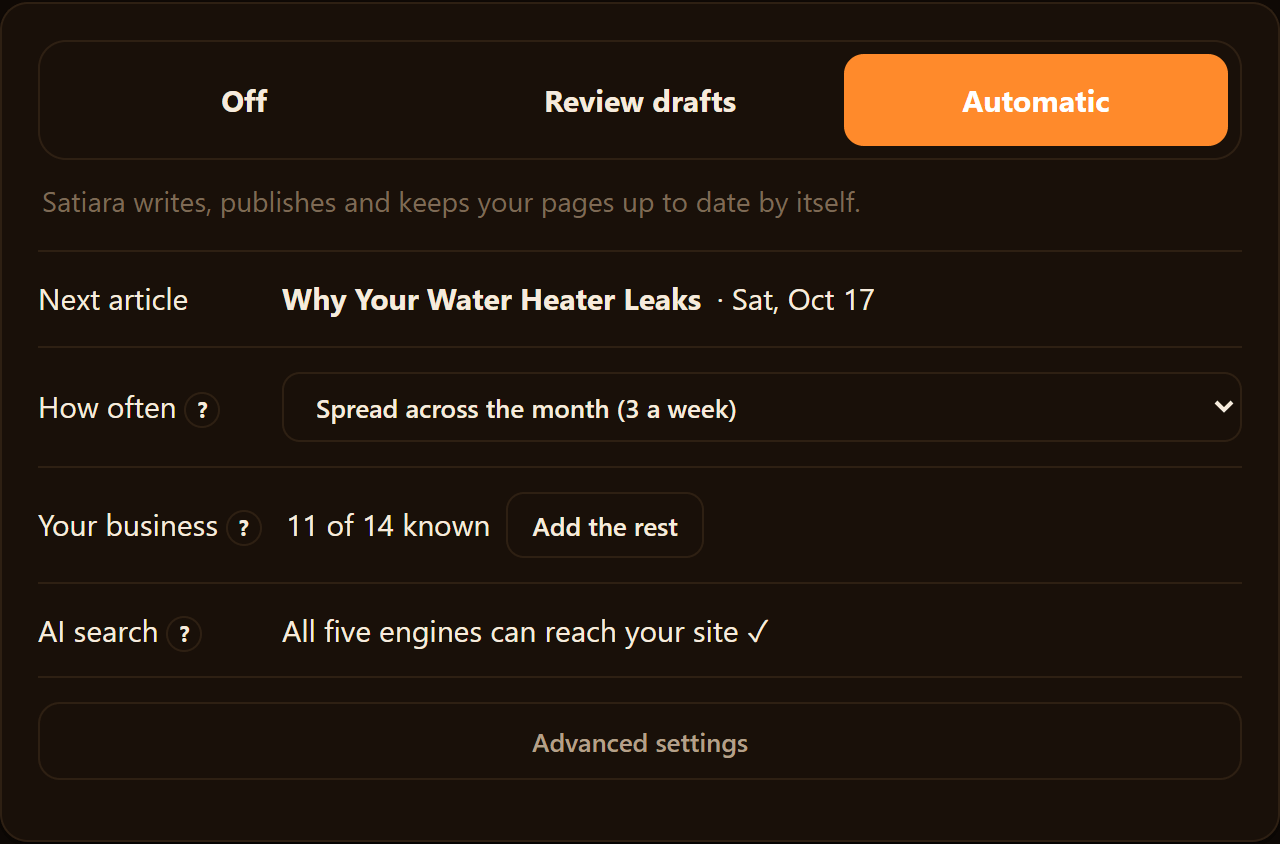
The test is control, not power. A good system lets you approve changes before they go live and keeps structural edits from happening silently.
Look for a review-first mode where you check work before it publishes. Also look for the option to switch to auto-publish once you trust it. Pick a tool that matches your brand voice, so drafts read like you and not a template.
The right level of automation is the one you can supervise without becoming a full-time SEO. Score for that, then decide what a tool is truly worth to you.
What Free Tools Should You Start With Before Paying?
Start with the free ones Google gives you. They cover more ground than most people expect, and they cost nothing but setup time.
Value of a paid tool at the free-vs-paid threshold
Google Search Console shows you which queries already bring people to your site. It tells you what pages Google has indexed and where you rank. According to google.com, Search Console does not replace competitor research, technical crawling, or analytics.
Google Analytics 4 is the free companion for behavior and conversion context. It answers what visitors do after they land, which the search side can't see.
Together these two tools tell you where you stand today. That baseline is worth having before you spend a cent.
When Free Google Tools Are Enough
Free is enough when your SEO fits in a few hours a month. You have a small site, a handful of pages, and you can read a report and act on it yourself.
The math is about hours, not features. Free tools measure your SEO. They don't do the work of writing, fixing, or planning the next page for you.
Suppose your SEO tasks eat four hours a week, and paid software would cut that to one. That's twelve hours saved a month. If your time is worth $60 an hour, the tool earns its keep at roughly $720 in value before you've paid anything.
Below that threshold, stick with Google. Above it, a paid tool starts paying for itself.
What Each Category Is For
Paid software splits into a few types. Here's what each one does and who it suits.
| Category | Price signal | Best for |
|---|---|---|
| Free Google tools | Free | Baseline data on rankings, indexing, and visitor behavior |
| Action-oriented / workflow | Subscription | Doing the SEO work, not just measuring it |
| Broad platform | Higher subscription | Teams wanting keyword, competitor, and backlink data in one place |
| Technical crawler | Sitebulb Cloud runs GBP 95/month | Finding technical issues across a large site |
| Content tool | Subscription | Writing and optimizing pages on your own site |
| Reporting tool | Subscription | Turning data into client or stakeholder reports |
Sitebulb is a technical crawler. As of September 2026, its Sitebulb Cloud plan runs GBP 95/month. A Pro seat can be added for GBP 7/month per extra user.
If You Are X, Start With Y
Match your situation to a starting point so you don't overbuy.
- Brand new to SEO: Start with Search Console and GA4. Learn what you're working with before paying.
- Small site, few hours a month: Stay free until the work outgrows your time.
- Solo owner tired of doing it all by hand: Look at an action-oriented tool that runs the workflow, not just a dashboard.
- Big site with technical problems: Add a crawler like Sitebulb on top of your free data.
- Reporting to clients or a boss: A reporting tool saves the manual export work.
Pick the smallest thing that solves your real bottleneck. You can always add more once you know what free tools leave undone.
What Are the Main Categories of Paid SEO Software?
Paid SEO tools split into a few clear families. Once you see the families, the endless tool lists get much easier to sort.
Each category answers a different question. Some tell you what is happening, and some tell you what to fix. A few try to do the fixing for you.
Research suites are the big data platforms. They track keywords, backlinks, and competitor rankings across huge databases. You get piles of numbers and charts, then you decide what to act on.
Technical crawlers scan your site like a search engine would. They flag broken links, slow pages, indexing problems, and messy site structure. Sitebulb is one example, with Lite and Pro plans and a Cloud option at GBP 95/month (as of September 2026 on their site).
Content and on-page tools focus on individual pages. They compare your page against what ranks and suggest words, headings, and topics to add. Some also draft the content itself.
Rank trackers do one job well. They watch where your pages sit in the SERP over time and alert you when things move. Handy, but narrow.
Reporting tools pull data from other sources into a clean dashboard. They save export work when you report to a client or a boss.
The newer family is different. An SEO operating system tries to run the whole workflow, not just measure one slice of it. It reads your Google Search Console data, finds winnable opportunities, builds a plan, and creates or refreshes pages.
Here is how the families compare at a glance.
| Category | Main job | What it leaves on your plate |
|---|---|---|
| Research suite | Show keyword, link, and competitor data | Reading the data and deciding what to do |
| Technical crawler | Find site structure and indexing issues | Fixing the issues yourself |
| Content/on-page tool | Guide or draft a single page | Strategy, internal linking, publishing |
| Rank tracker | Monitor SERP positions | Everything that changes those positions |
| Reporting tool | Package data into dashboards | All the actual SEO work |
| SEO operating system | Plan, create, connect, and watch results | Review and approval, at the level you set |
Notice the pattern in that last column. Most categories hand you information and expect you to be the specialist.
All-in-One Platforms vs. Tools That Do the Work
Both types show you the same problems. The difference is who fixes them.
An all-in-one platform is a measurement machine. It crawls your site, tracks keywords, checks backlinks, and audits pages. Then it hands you a list.
That list is honest. It is also a to-do list with your name on it.
Say the platform flags 40 pages with thin content and 200 missing internal links. It has done its job by telling you. The writing, the linking, and the publishing are still yours.
You become the SEO specialist the platform assumed you already were. That is fine if you have the time and the skill. It is a trap if you are the only person on the team.
Workflow or action-oriented tools sit at the other end. They still find the problems, but they carry the work further before it lands on you.
A content tool drafts the page, and a technical tool applies the fix. An SEO operating system reads your real Google Search Console data and builds the plan. It writes and refreshes pages, and handles internal linking across the cluster.
Here is the split that matters for a one-person team:
| Job to be done | All-in-one platform | Action or workflow tool |
|---|---|---|
| Find the opportunity | Yes | Yes |
| Decide what to do next | You | Often the tool |
| Produce the page or fix | You | The tool, in draft |
| Connect and publish it | You | The tool, with your review |
Notice the middle two rows. That is where solo owners quietly stall out, because that is the specialist labor no dashboard removes.
Control is the fair worry with tools that act. A tool that writes and links can also change things you did not want changed.
Good ones keep you in charge. You should be able to set the voice and approve work in a review mode before anything goes live. Trust that destructive structural changes are never applied silently.
So the real question is not which tool has more charts. It is how much of the fixing you want to keep doing yourself.
Answer that, and the next question, which type fits your size and budget, gets much easier.
Which Tool Type Fits Your Situation?
Your size changes the answer more than your budget does. A solo owner and a ten-person agency want different things from the same word "SEO software."
Match yourself to one of the buyer types below. Then judge tools against that, not against a feature list.
Solo Owner or Independent Service Business
You are the strategist, writer, and editor. Every hour a tool asks for is an hour you take from the actual business.
A measurement-only tool leaves the whole workflow on your plate, which is a bad trade when the plate is already full. What you want is a system that does the work: finds winnable opportunities, drafts the pages, and handles internal linking.
Expect entry-level plans here to sit in the low tens of dollars a month, sometimes free for basic use. Watch for tools that look cheap but assume you already know how to read the data.
Small Marketing Team or Funded SaaS
You have one or two people, and none of them is a dedicated SEO specialist. You can afford a real subscription, but you cannot afford to hire a strategist.
This is the spot where an action-oriented system pays off most. You keep control of goals, brand voice, and whether work publishes automatically or waits for review.
Plans that read real Google Search Console data and build a plan around it fit here well. Satiara is built for exactly this reader, the team that needs the SEO done without adding a headcount.
Agency Managing Many Clients
Your priorities flip. You need per-client seats, white-label reports, and crawl depth across dozens of sites.
A technical crawler like Sitebulb suits this work.
Budget more than a solo owner would, because you are buying capacity across accounts, not one site's growth.
Enterprise or In-House SEO Team
You already have specialists. Software here supports experts rather than replacing them.
Expect enterprise pricing that starts in the hundreds per month and often hides behind a sales call. If you have that team, this article is not really for you, and you know it.
The One Question That Sorts You
Ask who does the fixing after the tool points at a problem. If the answer is "me, alone," buy a system that acts. If it is "my SEO hire," buy a tool that measures and reports.
Price bands follow from that choice, not the other way around.
What SEO Software Really Costs to Run
The sticker price is the smallest number you will deal with. The real cost is the price plus the hours it takes to act on what the tool shows you.
What SEO Software Really Costs to Run
Most SEO tools price per seat, per credit, or both. Sitebulb Cloud, for example, runs GBP 95/month as of September 2026, on top of any per-user add-ons.
Credits are the sneaky line item. Keyword lookups, audits, and content scans often draw from a monthly pool that empties faster than you expect.
The Hidden Cost Is Your Time
A tool that only measures leaves the work on your desk. It flags a thin page, and then you write, edit, and publish the fix.
That gap is why so many tools fail a non-specialist. They hand you a wall of data and no instruction on what to do next.
Price the hours honestly. If a tool needs ten hours a week of your attention, add that to the subscription before you compare anything.
Does It Track AI Search, Not Just Google?
For a purchase in 2026, ask whether the tool watches AI search visibility. Answer engines like ChatGPT search now send real traffic, and a Google-only report misses it.
Check this during any trial. Search a few of your own topics inside an AI assistant and see if your pages get cited.
Then look at whether the tool reports those citations at all. Many still track only classic SERP positions, which is half the picture now.
Control, Voice, and Site Safety
An automated system does not have to mean lost control. The question is what it does without asking you first.
Good software offers a review-first mode so you approve content and changes before they go live. Auto-publish should be a choice you turn on, not a default that surprises you.
Structural changes are the real danger. A bad redirect or a page consolidation can bury pages that were ranking fine.
Never buy a tool that applies destructive structural choices silently. You want those flagged for your approval, with the reasoning shown.
What Only You Can Supply
No tool knows your customers, your pricing, or the promise your business actually keeps. Your brand voice and your strategy start with you.
Feed that in, and the software has something to work with. Skip it, and even a strong tool produces generic filler.
A 7-Day Free-Trial Test on Your Own Site
Test on the real thing, never a demo account. A trial that only shows sample data tells you nothing about your pages.
- Day 1: Connect your site and Google Search Console. Note how long setup takes and whether it reads your real data.
- Day 2: Let it audit your site. Count how many findings come with a next step versus a bare number.
- Day 3: Ask it for keyword opportunities. Check if they match topics you can actually win, not vanity terms.
- Day 4: Have it draft or improve one page. Read it out loud and judge whether it sounds like you.
- Day 5: Email support with a real question. Time the reply and rate how useful it is.
- Day 6: Run one internal linking or content-refresh task end to end. See if it finishes work or just hands you a to-do list.
- Day 7: Add up the hours the week took. Decide if the output was worth the subscription and your time.
If a system produces publishable work you approved, that is a real result. If it only produced a longer task list, keep shopping.
When Software Is the Wrong Move
Sometimes a spreadsheet beats a subscription. If you publish twice a year, track your handful of pages by hand and save the money.
Hiring a person wins when strategy is genuinely complex and you have budget for it. A tool amplifies your effort; it does not replace a seasoned strategist for a one-off overhaul.
Watch three traps before you pay. Feature syndrome makes you buy dashboards you will never open.
Disguised affiliate comparisons rank tools by commission, not fit. And annual lock-in traps you in a tool you outgrow in three months, so start monthly if you can.
Making the Call With Confidence
The decision comes down to one honest question. If that person is you, alone, buy something that carries the work further than a report.
Start with the free Google tools and see where they leave you stuck. Then add the smallest paid tool that closes your real bottleneck, and test it on your own site before the trial ends.
If you are a small team that needs the SEO done without a new hire, Satiara was built for that spot. Pick for your size, not for the longest feature page.
Frequently asked questions
What are the best SEO tools if you have a very small budget?
Start with free Google tools: Google Search Console and Google Analytics 4. They show your rankings, indexed pages, and what visitors do after landing. When your SEO work outgrows a few hours a month, add one affordable action-oriented tool that does the work, not just another dashboard. Buy the smallest thing that solves your real bottleneck.
How did other people decide which SEO tool was right for their site?
They stopped shopping by feature list and matched the tool to their situation first. Define which of the five core jobs you need: research, on-page analysis, technical crawl, internal linking, and tracking. Then judge tools against your site size, skill, and budget. A solo plumber and a ten-client agency need very different things.
What factors should you consider when choosing SEO software?
Score any tool against five jobs before you pay: research, on-page analysis, technical crawl, internal linking, and tracking. Then weigh who actually fixes the problem after the tool flags it. Consider your site size, your available hours, and whether you need local or global tracking. Cost includes your time, not just the subscription.
How do you choose a good SEO company or agency?
Choosing an SEO company is a different decision than choosing software, and this guide focuses on tools. If you have no in-house specialist and limited hours, software that runs the workflow can be cheaper than an agency. Compare the break-even ROI of both. Ask any agency what they do that a tool cannot.
How do you test SEO software before committing?
Run any paid tool on your own site during a free trial, ideally around seven days. Count how many findings come with a real next step, not just a flag. Then ask who fixes each problem. If the answer is you alone, choose a system that acts, not one that only reports.
About Satiara
Satiara is an AI-driven SEO automation for a startup or SaaS founder. This article was written by the Satiara team. More about Satiara.