The SaaS Content Marketing Checklist That Ties to Pipeline

Key takeaways
- Report content-influenced pipeline from your CRM, not sessions, so your work reads as revenue instead of cost.
- Write each article to one persona and one buyer stage, then answer the objections your sales team actually hears.
- Score keywords on intent, winnability, and pipeline fit before volume, and start with page-two rankings you can push up fast.
- Group keywords into clusters with one page per keyword, so pages stop competing and internal links stay obvious.
- Schedule a refresh date at publish time and check Search Console quarterly to catch decay before traffic drops.
You publish, you share, and the traffic never turns into demos. That gap is where most SaaS content dies.
The problem is rarely writing quality. It is a missing chain from keyword to buyer to signed subscription.
This guide gives you a checklist built for a long sales cycle and a technical buyer. It walks each phase in order: personas, buyer-journey mapping, keyword research, topic clusters, a repeatable plan, and on-page SEO.
What a SaaS Content Checklist Actually Covers
A content checklist for SaaS is a repeatable set of steps. It takes an idea from keyword to published page to measured pipeline. It runs in phases, not as a one-time to-do list.
Most generic checklists stop at "write, publish, share." That works for a lifestyle blog. It fails for software with a long buying cycle and a technical buyer.
SaaS needs its own approach for three reasons. Your buyer researches for weeks before talking to sales, and your product is abstract until someone sees it solve their problem. And your win is a paid subscription, not a pageview.
So the checklist below ties every step back to pipeline. Here are the six phases you run for each piece.
- Strategy. Map the topic to a buyer stage and a product use case before you write a word.
- Creation. Draft the piece to answer one search intent, in your brand voice, with a clear next step.
- On-page SEO. Set the title, headings, internal links, and schema so the page can rank and get indexed.
- Distribution. Push it to the channels where your buyer already spends time.
- Measurement. Track content-influenced pipeline, not just sessions.
- Refresh. Schedule a recheck so the page does not decay quietly.
Tie Content to Pipeline, Not Pageviews
A pageview does not pay for a writer. Pipeline does. So the first thing to fix is the metric you report.
Content-influenced pipeline means the dollar value of opportunities where a prospect touched your content before they became a lead. You can pull this from your CRM once you tag content touches.
Here is a simple model you can run on your own assumptions. Say a keyword cluster brings 2,000 qualified visits a month, and if 3 percent request a demo, that is 60 demos. If a quarter of those become opportunities worth $10,000 each, that cluster influences $150,000 in pipeline monthly.
Change the inputs to match your funnel. The point is the chain: cluster, page, conversion rate, deal value. Report that, and content stops looking like a cost center.
Treat the Checklist as an Operating System
Content decays. Rankings slip, product screenshots go stale, and a competitor publishes something fresher. A page that ranked in March can fade by September.
The fix is a scheduled refresh cadence, not a rescue mission when traffic tanks. Build these triggers into your calendar.
| Refresh trigger | What to update |
|---|---|
| Product launch or new feature | Screenshots, feature mentions, and use-case examples on affected pages |
| Platform or pricing migration | Any page naming old flows, plans, or integrations |
| Quarterly review | Top pages losing rankings or clicks in Google Search Console |
| Ranking drop for a target keyword | Intent match, internal links, and depth versus the current top results |
One phase deserves its own attention: AI search readiness. AI answer engines read and quote web pages, so classic SERP tactics alone miss them. So you write pages that both rank and get quoted.
That means clear definitions in place, direct answers near the top, and structured headings a model can lift. The rest of this guide walks each phase, starting with the buyer you are writing for.
Who Are You Writing For in B2B SaaS?
Content that drives pipeline starts with knowing the exact person who reads it. In B2B SaaS, that person is rarely one buyer. You are usually writing for a small group who each judge your product differently.
A persona is a short, honest profile of a specific buyer. It captures their role, their goal, the problem they need solved, and what makes them hesitate. Skip the age and hobbies, since those never change a headline.
Build each persona around three things you can act on. Get these right and every article has a clear reader.
- The trigger. What just happened that sent them searching? A broken blog, a new mandate, a budget review.
- The job to be done. The concrete outcome they want, stated in their words, not yours.
- The hesitation. The objection that stalls the deal, like "will this actually work for a team my size?"
Most SaaS deals involve more than one person, so map the buying committee. A typical B2B purchase pulls in a few distinct roles who all need convincing.
| Persona | What they care about | Content that fits |
|---|---|---|
| Champion (the user) | Solving their daily problem fast | How-to guides, feature explainers, workflows |
| Economic buyer (VP, founder) | ROI, risk, time to value | Comparison pages, break-even math, case examples |
| Skeptic (IT, ops, finance) | Security, control, integration | FAQs, docs, "how it handles X" pages |
You do not need every persona for every piece. Pick one reader per article and write to them alone. A page trying to speak to all three usually reaches none.
To define a persona without a research budget, start with what you already have. Sales calls, support tickets, and win-loss notes hold the real language buyers use.
- Pull the exact phrases prospects use to describe their problem. Those become your headlines and H2s.
- List the top objections your sales team hears. Each one is a section you owe the reader.
- Note which role signs off on the purchase. That tells you where proof, not persuasion, belongs.
Google Search Console gives you a second source, free. The queries already sending people to your site show the words your buyers actually type. Match your persona's language to that data and you write for real demand, not a guess.
Keep each persona to a single page you can reread before writing. If a fact on it never changes a sentence you write, cut it. A tight persona works as a filter for every brief.
How the SaaS Buyer Journey Maps to Content
A SaaS buyer moves through four rough stages: unaware, problem-aware, solution-aware, and vendor-comparing. Each stage needs a different kind of page. Mapping them is what stops your blog from being a pile of unrelated posts.
In the unaware stage, your reader feels a pain but hasn't named it. They search symptoms, not categories. Your job is education that frames the problem you happen to solve.
Problem-aware readers know the problem has a name. Now they want to understand the approaches. Think "how to" and "framework" content that stays honest about tradeoffs.
Solution-aware readers accept that software like yours exists. They compare methods, integrations, and workflows. This is where use-case pages and deep how-tos earn their keep.
Vendor-comparing readers are choosing between named tools. They want proof, pricing clarity, and answers to objections. Comparison and alternative pages live here, plus anything that removes a dealbreaker.
Match the Content to Your GTM Motion
Your go-to-market motion changes what "good" content looks like. A product-led (PLG) motion sends people straight to a free trial or free tier. A sales-led motion routes them to a demo or a rep.
For PLG, weight your content toward self-serve. Show the product doing the work. Setup guides, in-app screenshots, and "how it works" pages carry more load than a polished sales narrative.
For sales-led, your content warms a buyer before a human ever calls. Build ROI logic, security answers, and comparison pages so the rep isn't starting cold.
Most SaaS teams run a blend, so tag each page with the motion it supports. A page that fits neither is usually a vanity post.
Write for the Whole Buying Committee
B2B software rarely gets bought by one person. A champion pushes for it, but the CFO, CISO, and RevOps all sign off. Content that speaks only to the champion stalls at the last step.
Map your pages to the questions each role actually asks. The champion needs a reason to advocate. The others need reasons not to block.
| Stakeholder | Question they ask | Content that answers it |
|---|---|---|
| Champion (marketer, founder) | Will this make my work easier and rank? | How-to guides, use-case pages, workflow walkthroughs |
| CFO | Is the payback worth the yearly cost? | ROI breakdowns, break-even math, pricing explainers |
| CISO | What can it access or change on our site? | Access and permission docs, review-vs-auto explainers |
| RevOps | How does this fit our existing stack? | Alternative and comparison pages, integration explainers |
You don't need a separate page per stakeholder. You need each objection answered somewhere a buyer can find it.
Run your draft map against one test. Pick a real deal you almost lost, then trace which stage stalled and which stakeholder blocked it. If no page answers that person, you found your next brief.
How to Find Keywords You Can Actually Win
A keyword you can win is one where your page has a real shot at the first page. Most SaaS blogs lose because they chase terms owned by sites with far more authority and history.
Start from the map you just built. Each buyer stage and stakeholder already points at the problems people search for. Turn those into seed phrases, not guesses.
Pull your seeds from three places:
- The exact words prospects use on sales calls and in support tickets.
- Your Google Search Console queries, where you already rank on page two or three.
- Competitor blogs and their comparison pages, for the problems they answer that you ignore.
Google Search Console is the honest starting point. It shows real terms real people typed to reach you, plus where you sit in the results. Those page-two rankings are often the fastest wins.
How to Sort the List So You Work in the Right Order
Raw volume is a trap. A term with big search numbers you cannot rank for produces nothing. Score each keyword on three things instead.
| Factor | What to ask |
|---|---|
| Intent | Does this person have the problem your product solves? |
| Winnability | Are the ranking pages sites you can realistically match? |
| Pipeline fit | Does a good answer here move someone toward a demo or trial? |
Check winnability by reading the actual results, not a difficulty number. Open the first page for your target term. If it is dominated by huge domains or off-topic pages, that gap is your opening.
Watch for weak results. Thin listicles, outdated posts, or forum threads on page one signal a term you can beat with one strong article.
Which Keywords Deserve to Go First
Rank your shortlist by pipeline fit, then winnability, then volume. A bottom-of-funnel term with modest searches often beats a broad top-of-funnel term with none of your buyers behind it.
Group the survivors by the problem they share. That grouping becomes the topic cluster in the next section, so you are never writing one orphan post at a time.
Tools help here, and this is where an SEO operating system like Satiara earns its place. It reads your Search Console data, spots the winnable opportunities, and clusters them, so you skip the manual spreadsheet math.
One habit keeps the list alive. Content gaps and rankings shift, so revisit your keyword scores each quarter and refresh what has slipped.
What Is a Topic Cluster and Keyword-to-Page Map?
A topic cluster is a group of related pages built around one broad subject. One page covers the main topic in depth, and several supporting pages target narrower questions inside it.
Building a Topic Cluster
The main page is your pillar. The supporting pages link back to it, and it links out to them.
Think of a project management SaaS. The pillar might be "project management for remote teams." Supporting pages cover async standups, time zone scheduling, and remote onboarding.
This structure helps search engines see that you cover a subject fully, not just once. It also gives readers a clear path from a question to a solution.
How to Build a Keyword-to-Page Map That Scales
A keyword-to-page map is a simple table. Each row is one keyword, one target page, and one intent.
It stops two problems. First, two pages competing for the same keyword, which splits your ranking signal. Second, a keyword with no home, which means the content never gets written.
Keep the columns lean so you actually maintain it.
| Keyword | Target page | Cluster | Intent | Status |
|---|---|---|---|---|
| remote project management | pillar page | Remote PM | Attract | Live |
| async standup tools | supporting post | Remote PM | Attract | Draft |
| project management pricing | pricing page | Remote PM | Decide | Planned |
Assign each new keyword a page before you write anything. If a keyword matches an existing page, refresh that page instead of creating a duplicate.
An SEO operating system like Satiara can maintain this map from your real site data. So the clusters stay connected as you publish.
How to Find Pages Already Close to Ranking
Google Search Console shows what you already rank for. This is where quick wins hide.
Open the Performance report and filter for pages in positions 5 to 20. These sit on page one or two but rarely get clicks.
A small push often moves them up. That push matters, according to Backlinko. The top three Google results typically get around 50 to 60 percent of all clicks.
For each near-miss page, check three things. The query it almost ranks for, whether that query is on the page, and which cluster it belongs to.
Add the query to your map, then refresh the page to answer it directly. This beats writing new content, because Google already trusts the page.
An AI-Search Readiness Sub-Checklist
AI search tools like ChatGPT read and cite web pages. If they cannot reach your site, they cannot quote you.
Run these checks per cluster and site-wide.
- Check crawler access in robots.txt. The Overview of OpenAI Crawlers documents separate agents: GPTBot for training, OAI-SearchBot for search, and ChatGPT-User for live user requests. Decide which you allow, since blocking OAI-SearchBot can keep you out of ChatGPT search results.
- Track AI referrers in GA4. Build a segment for traffic from chatgpt.com and similar sources, so you can see when AI answers send real visitors.
- Strengthen your E-E-A-T pages. Fill out your About page, author bios, and any expertise signals, because AI tools weigh trust when choosing who to cite.
An analysis from AirOps looks at how AI models turn a query into a citation. A page that AI models can read and trust earns visibility.
Deeper technical and AEO setup belongs in a dedicated SaaS SEO checklist. Here, treat these as the minimum so your clusters stay reachable.
What Goes Into a Repeatable Content Plan?
A plan you can run alone has to survive a busy week. That means fewer moving parts, not more.
Start with a fixed cadence you can actually keep. One solid post a week beats four rushed ones that never ship.
Tie every slot to a cluster you already mapped. No orphan topics, no last-minute ideas that don't connect to a page you're trying to rank.
The Fields Your Calendar Needs
A calendar is only useful if it tells you what to do next. Keep it to columns you'll actually fill in.
| Field | Why it earns its place |
|---|---|
| Target keyword | The one query the page is built to win. |
| Cluster | Which topic group this feeds, so internal links are obvious. |
| Search intent | Attract, compare, or decide, so the format matches the reader. |
| Pipeline tie | The next step you want a reader to take. |
| Status | Draft, review, or live, so nothing stalls silently. |
| Publish date | A real commitment, not a wish. |
| Refresh date | When you'll revisit it against Search Console data. |
That last row matters more than it looks. Content isn't done at publish. It's done when it stops earning attention, and that's a moving target.
A Weekly Rhythm You Can Repeat
Break the work into a loop that runs the same way every week. When the steps are boring, they get done.
- Pick the next slot. Pull the top-priority keyword from your map, not your mood.
- Draft the brief. Note the intent, the angle, the cluster links, and the one action you want.
- Write to the brief. Match your brand voice so it reads like your company, not a template.
- Add on-page and internal links. Connect the new page to its cluster before it goes live.
- Publish, then log the refresh date. Schedule the check-in now, while you remember why.
The refresh step is where most solo plans break. You publish, you move on, and old pages quietly slide down the SERP.
Reading your real Google Search Console data closes that gap. Pages losing clicks or slipping in position tell you what to update before traffic dries up.
Deciding What Runs Without You
Running this alone means choosing how much you review. Some steps are safe to automate, others deserve your eyes.
Keyword picks and drafts can move fast on their own. Publishing and any structural change should wait for your approval, at least at first.
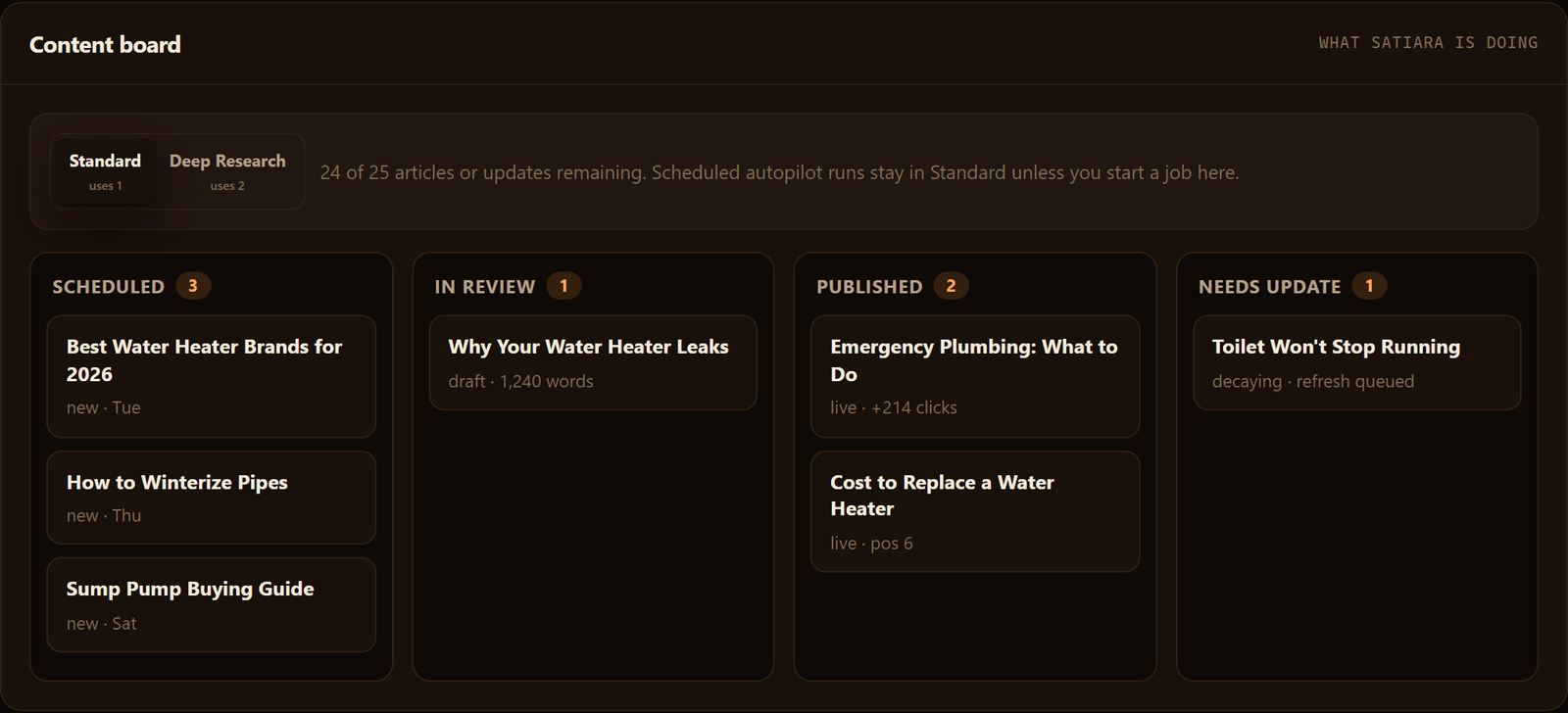
Satiara handles this split with a choice of review-first or auto-publish mode, so the loop keeps moving while you keep control. Start in review mode, then loosen it once you trust the output.
Whatever tool you use, the plan is the same. A fixed cadence, a calendar tied to clusters, and a refresh habit fed by search data.
What Are the On-Page SEO Essentials for Each Article?
Every piece needs the same checks before it goes live. Skip them and you publish content Google struggles to rank and buyers struggle to trust.
On-Page SEO Essentials: Numeric Guidelines
Think of this as a per-article gate. One pass through it, every time, no exceptions.
The Per-Article On-Page Checklist
- Target one primary keyword per page, matched to search intent, so the article answers what people actually type.
- Put that keyword in the title tag near the front. Keep the title under 60 characters so it doesn't get cut in the SERP.
- Write one H1 that matches the title's promise, then use H2s that read like the questions a buyer would ask.
- Add 3 to 5 internal links to related cluster pages, using descriptive anchor text, not "click here."
- Write a meta description that reads like a benefit, not a summary. It won't rank you, but it earns the click.
- Check readability. Short sentences, short paragraphs, and headings a skimmer can follow.
- Confirm the page works on mobile and loads fast.
That last point deserves its own beat. Deloitte's Milliseconds Make Millions study found that faster sites engage and convert better. So page speed and Core Web Vitals are conversion levers, not just SEO boxes.
Tie Headings to the Questions Each Stakeholder Asks
A B2B purchase rarely has one decider. Your headings should speak to the people in the room.
The CFO wants to know the cost and the payback. The CISO wants to know how you handle data and access. RevOps wants to know how it fits the existing stack.
Write H2s that name those concerns directly. A section titled "How Does Pricing Scale as We Grow?" does more work than a vague "Pricing" heading.
Refresh Old Pages Before Writing New Ones
Rankings decay. A page that ranked six months ago slips as competitors publish and search intent shifts.
Pull Google Search Console for pages losing clicks or impressions. Those are your first candidates for a refresh, and updating one often beats writing a brand-new piece from scratch.
Set a cadence you can keep. A quarterly review of your top pages catches most decay before it costs you real pipeline.
| Signal in Search Console | What to Do |
|---|---|
| Clicks dropping, impressions steady | Rewrite the title and meta to earn the click back. |
| Impressions falling on a target term | Update the content and add depth competitors now have. |
| Ranking on page two for a winnable term | Add internal links and tighten on-page relevance. |
| Page not indexed | Check for technical blocks before touching the copy. |
Run this gate on every article, and your blog stops being a graveyard of one-off posts. It becomes a set of pages you actively maintain, each one earning its place.
Where to Start This Week
You do not need to run all six phases at once. Pick the phase where your content leaks most, then fix that first.
If nobody can tie a page to pipeline, start with the metric. If your posts read like orphans, build the cluster map. If old pages are slipping, run a refresh pass before you write anything new.
The checklist works because it repeats. Choose one phase, run it end to end, and let the loop carry the rest.
Frequently asked questions
How effective is content marketing for SaaS?
Content marketing works for SaaS when it ties to pipeline, not pageviews. A single keyword cluster can influence real revenue once you track it in your CRM. In the article's example model, 2,000 qualified visits at a 3 percent demo rate produce 60 demos a quarter. Change the inputs to match your own funnel.
Any tips for marketing a SaaS product?
Write each article to one persona and one buyer stage, then answer the objections your sales team actually hears. Score keywords on intent, winnability, and pipeline fit before volume. Start with page-two rankings you can push up fast. Group them into clusters so pages stop competing and internal links stay obvious.
How long before SaaS content starts driving pipeline?
SaaS content takes time because your buyer researches for weeks before talking to sales. Page-two rankings you can push up move fastest, since the page already has traction. Newer terms take longer to index and climb. Report content-influenced pipeline from your CRM so slow-building work still reads as revenue, not cost.
What usually goes wrong with SaaS content marketing?
The most common failure is a missing chain from keyword to buyer to signed subscription. Most teams stop at write, publish, share, which suits a lifestyle blog but not software with a long sales cycle. Content also decays quietly, so schedule a refresh date at publish time and check Search Console quarterly.
About Satiara
Satiara is an AI-driven SEO automation / SEO operating system for a startup or SaaS founder. This article was written by the Satiara team as part of our ongoing coverage of content marketing checklist for saas. More about Satiara.